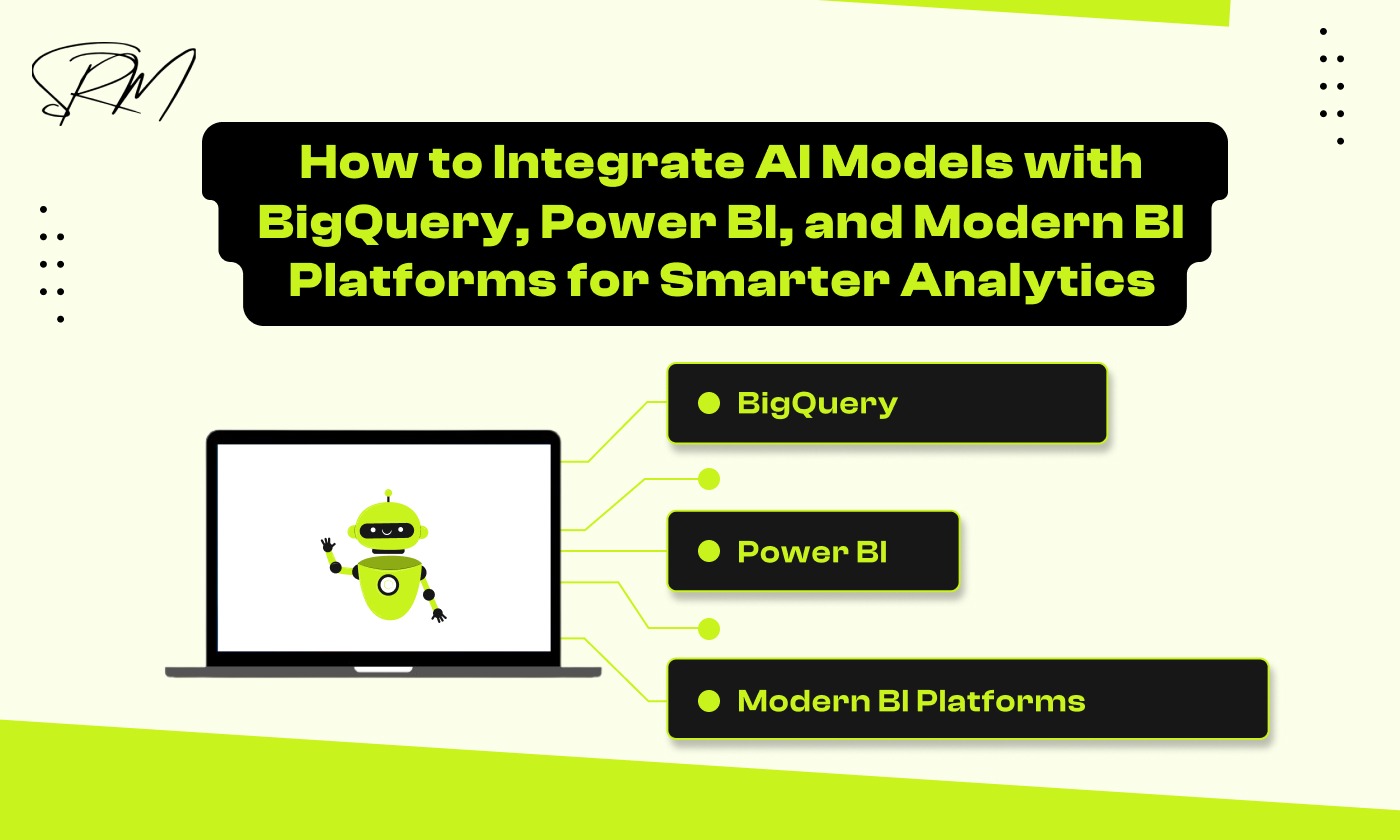
How to Integrate AI Models with BigQuery, Power BI, and Modern BI Platforms for Smarter Analytics
Data analytics has changed. It is no longer enough to just look in the rearview mirror at what already happened; you need to see the road ahead. By 2026, simply gathering data has become the bare minimum rather than a competitive edge. The real magic happens when you inject intelligence directly into your data warehouse. By combining AI models with Google BigQuery and showing those results in Power BI, you move past boring, static reports and enter a world of autonomous insights that actually work for you.
Setting up this modern stack requires more than just connecting two pieces of software. It involves creating a seamless flow where BigQuery acts as the brain, processing massive datasets with built-in machine learning, while platforms like Power BI serve as the voice, translating complex mathematical outputs into clear business narratives. This integration allows every team member, from the data scientist to the department head, to interact with data using natural language and receive real-time recommendations.
Table of Contents
The Era of Agentic Analytics
The way we use data has changed. For years, businesses followed a simple routine: collect data, create a report, and have a human look at it to decide what to do next. This is known as traditional Business Intelligence (BI). While it worked for a long time, it is now too slow for the fast world of 2026. Today, we are entering the era of Agentic Analytics.
Why traditional BI is evolving into AI native platforms
In the past, a dashboard was like a static map. It showed you where you were, but it did not help you drive the car. Traditional BI platforms were passive; they waited for a person to ask a question.
AI native platforms are different. They do not just show data; they understand it. These systems are called agentic because they have agency, which means they can act on their own. Instead of waiting for you to find a problem, an AI native platform can spot a drop in sales, find the reason why, and suggest a solution before you even open your laptop. This shift from passive tools to active partners is why companies are moving away from old BI methods.
The role of BigQuery and Power BI as the backbone of 2026 data stacks
In the modern business world, having a strong foundation for your data is just as important as the data itself. Google BigQuery and Microsoft Power BI have emerged as the primary tools for this foundation because they handle different parts of the data journey perfectly. BigQuery acts as a high speed engine that can store and process trillions of rows of information, while Power BI acts as the window through which users see and interact with those insights. By using these two platforms together, organizations can stop worrying about technical limits and start focusing on what the numbers actually mean for their future. This combination is the backbone of 2026 data stacks because it makes advanced technology accessible to everyone in the company, not just the IT department.
- Unified Data Source BigQuery acts as a single source of truth where all your data, whether it is from a website, a store, or an app, is stored in one place. This prevents different departments from having conflicting numbers.
- In-Database Machine Learning In 2026, BigQuery does more than just hold data; it processes it using built-in AI. This means the heavy calculations happen before the data even reaches your dashboard, making your reports much faster.
- Real Time Connectivity Power BI connects directly to BigQuery, allowing leaders to see what is happening in their business right now rather than looking at what happened last week.
- Scalability for Growth Both tools are cloud based, meaning they grow as your business grows. You can start with a small dataset and scale up to billions of rows without needing to buy new hardware.
- Democratized AI Insights Through this backbone, AI is no longer just for experts. A manager can use Power BI to ask a question in plain English and receive a chart generated by the AI models running in BigQuery.
Defining the smarter analytics vision: from reporting to action
The goal of smarter analytics is simple: move from reporting to action.
- Reporting is telling you that your inventory is low.
- Action is the system automatically noticing the low inventory and asking you if it should place a new order.
In 2026, the best data teams are not measured by how many charts they build. They are measured by how many problems they solve. By using AI agents, businesses can cut out the long wait times between seeing a data point and doing something about it. This is the heart of the smarter analytics vision, turning data into a tool that does work for you, rather than just giving you more work to do.
Preparing the Foundation in BigQuery
Building a smart analytics system is like building a house; the results are only as good as the foundation you lay. In the world of AI, that foundation is Google BigQuery. To get the best out of your AI models, you need more than just a place to store numbers. You need an architecture that is organized, clean, and ready for machine learning.
Before you can run a single AI model, your data needs to be in the right place and the right format. This stage is often called AI Readiness. It involves moving away from messy, scattered spreadsheets and toward a centralized system where data flows smoothly. In 2026, this process is much faster thanks to built-in automation, but it still requires a clear strategy to ensure your AI has high-quality information to learn from.
Setting up your data architecture for AI readiness
A good data architecture acts as a roadmap for your AI. If your data is siloed or unorganized, your AI models will struggle to find the patterns they need to make accurate predictions.
Centralize with a Single Source of Truth Move all your data into BigQuery standard tables rather than keeping it in separate external files. This ensures your AI models can access everything they need in one high-speed location.
Use Partitioning and Clustering Organize your tables by date or specific categories. This not only lowers your costs but also allows AI models to scan through billions of rows of data in seconds.
Implement Strong Governance Set up clear rules for who can access and change data. In 2026, using tools like Dataplex within BigQuery helps maintain data quality and security automatically.
Cleaning and structuring unstructured data with BigQuery ML
Not all valuable data comes in neat rows and columns. Often, the most important insights are hidden in customer emails, product images, or support tickets. This is known as unstructured data.
Native Multimodal Support BigQuery now allows you to store images and text documents directly in your tables using Object Tables. This means your AI can analyze a picture and a sales record in the same row.
Automated Data Cleaning Use BigQuery ML functions to automatically fix common issues like missing dates, duplicate names, or inconsistent formatting without writing long scripts.
Extracting Value from Text You can use simple SQL commands to run sentiment analysis on customer reviews or extract keywords from thousands of support tickets, turning messy text into structured data you can actually use.
Leveraging Gemini in BigQuery for automated metadata and schema optimization
Metadata is the data that describes your data. Keeping it updated used to be a manual, boring task, but Gemini AI now does the heavy lifting for you.
Automated Schema Mapping When you bring in a new dataset, Gemini can suggest the best way to organize the columns and types. It can even guess the names of fields based on the content.
Smart Metadata Generation Gemini automatically writes descriptions for your tables and columns. This makes it much easier for other people in your company to find and understand the data they need.
Continuous Optimization The AI constantly looks at how you query your data and suggests ways to change your schema to make things run faster and cheaper. It is like having a data engineer who works 24/7 to keep your foundation perfect.
Integrating AI Models: The Technical Workflow
Integrating your AI models into the data workflow is where the magic really happens. In 2026, you no longer need to move data between different systems to get smart results. Instead, you can bring the AI directly to your data. Whether you want to write simple code, use ready-made tools, or build something completely custom, there is a path that fits your team’s skills.
The goal of a modern technical workflow is to reduce the friction between having data and getting an answer. By keeping your models close to BigQuery, you avoid the security risks and slow speeds of exporting data to outside tools. In 2026, this is handled through three main options, ranging from simple SQL commands to advanced Python coding in Vertex AI.
Option A: Native BigQuery ML
This is the easiest way to start. If you know how to write basic SQL, you can build and use AI models without ever leaving the BigQuery interface.
Running linear regression and forecasting directly in SQL You can create a model to predict things like future sales or customer weight using a simple CREATE MODEL statement. By setting the model type to LINEAR_REG or ARIMA_PLUS, BigQuery trains the model on your history and gives you a forecast in seconds.
Using ML.GENERATE_TEXT to call LLMs on your table rows This is a powerful 2026 feature. You can use a SQL function called ML.GENERATE_TEXT to send your data to a Large Language Model like Gemini. For example, you can tell the AI to read a column of customer reviews and write a short summary for each one, all within a single query.
Option B: Vertex AI and BigQuery Integration
If you need more advanced power than basic SQL can provide, you can connect BigQuery to Vertex AI. This allows you to use professional grade models that are already built by Google. You can register remote models for advanced machine learning, making them look and act like a regular SQL function even if they run on a high powered external server.
This integration also allows you to connect to pre-trained models for sentiment analysis and object detection without training a model yourself. To take your automation even further, you can learn how to build data analytics agents faster using BigQuery’s remote MCP server to expand the capabilities of these models. This technical bridge ensures your AI can interact with a wider range of external tools and data sources securely.
Option C: Custom Python Models in Vertex AI Workbench
For data scientists who need total control, Vertex AI Workbench provides a full coding environment. This is for building unique solutions that are specific to your business.
Building and deploying specialized models for niche business needs Using Python in a Jupyter notebook, you can build custom models for complex tasks like fraud detection or hyper-local weather impacts. Once your model is ready, you can deploy it to an endpoint that BigQuery can talk to easily.
Seamless data access with Python In 2026, the Vertex AI Workbench is directly integrated with BigQuery. You can pull millions of rows into your Python environment with just one line of code, train your custom model, and then save the results back to BigQuery for your team to see in Power BI.
Connecting the Intelligence to Power BI
Once your data is prepared and your AI models are running in BigQuery, the final step is to deliver those insights to decision-makers. Power BI is the perfect tool for this, but it requires a careful setup to ensure your reports are fast, secure, and capable of handling 2026-sized datasets.
Connecting Power BI to BigQuery is about more than just seeing numbers; it is about creating a stable pipeline where AI insights can flow in real time. In 2026, this connection has become much more streamlined. The key is to configure your connection so that it can handle millions of rows without crashing, while ensuring that the data remains protected as it moves from the cloud to your screen.
Establishing a secure connection using the Google BigQuery connector
The first step is using the native Google BigQuery connector within Power BI Desktop. This connector is optimized specifically for Google’s architecture, allowing for better performance than generic drivers.
Getting Started
In Power BI, select Get Data and search for Google BigQuery. You will need to provide your Billing Project ID to start the process.
Encrypted Data Transfer
By using the native connector, all data moving between BigQuery and Power BI is automatically encrypted, keeping your company information safe from outside threats.
Version 2.0 Implementation
Ensure you enable the latest connector implementation in Power BI settings. This 2026 update offers better support for complex BigQuery features like nested fields and larger result sets.
Choosing between Import Mode and DirectQuery for real time AI insights
This is the most important decision you will make for your dashboard’s performance.
Import Mode (The Snapshot)
This copies a snapshot of your data into Power BI’s memory. Use this if you want the fastest possible user experience and don’t need the data to be perfectly live. It is best for high-level executive summaries.
DirectQuery (The Live Link)
This does not store any data in Power BI. Instead, every time you click a filter, Power BI sends a fresh question to BigQuery. Use this for operations dashboards where you need to see AI-generated alerts or stock levels as they change throughout the day.
Composite Models
In 2026, many experts use a mix. You can import your basic business names and categories (which don’t change often) but use DirectQuery for your actual sales and AI predictions to keep them fresh.
Configuring Service Account authentication for production stability
Using your personal email to connect Power BI to BigQuery is okay for a draft, but for a professional report, you need a Service Account.
What is a Service Account?
Think of it as a special digital employee created just for Power BI. It doesn’t have a password that expires, which means your reports won’t break when you change your personal password.
Security and Stability You can give this account specific, limited permissions (like BigQuery Data Viewer). This follows the 2026 rule of least privilege, ensuring the account can only see exactly what it needs to see.
JSON Key Setup You will download a JSON key file from the Google Cloud Console and use it to log in. This creates a permanent, secure link that stays active even if you leave the company or change teams.
Handling large scale datasets: incremental refresh and storage optimization
When you are dealing with billions of rows, you cannot refresh the whole dataset every time because it would be too slow and far too expensive for most business budgets. Instead, you should implement an incremental refresh strategy where you only update the data from the last few days or hours. Power BI keeps the historical data stored safely in its memory and simply plugs in the new pieces as they arrive, which significantly reduces the load on your system.
To make this work efficiently with BigQuery, you need to set up RangeStart and RangeEnd parameters. By using these specific markers, you tell Power BI exactly which dates to look for during a refresh. BigQuery is highly efficient at filtering data this way, and using these parameters can drop your total refresh time from several hours down to just a few minutes. This ensures your AI insights are always fresh without wasting computing power.
Finally, storage optimization is a critical step that many people overlook when building large reports. You should avoid selecting every single column from your BigQuery tables and only bring in the specific fields you need for your charts. In the 2026 data environment, removing just three or four unnecessary text columns can reduce the file size enough to make your dashboard twice as fast for the end user. This lean approach keeps your reports snappy and responsive, even when analyzing massive amounts of information.
Visualizing AI Insights for Stakeholders
Visualizing data is where your hard work in BigQuery and AI finally pays off. In 2026, stakeholders do not just want to see what happened; they expect to see what will happen next and what they should do about it. By using the advanced features in Power BI, you can transform a standard dashboard into an interactive tool that guides business strategy.
Great visualization is about clarity and action. When you bring AI insights into Power BI, you are providing a map of the future. The goal is to make these complex predictions look as simple as a weather report so that every manager can make confident decisions. This requires a balance of historical facts and forward-looking estimates, presented in a way that feels natural and easy to follow.
Designing dashboards that highlight predictive vs historical data
The biggest mistake in data design is treating a guess the same way you treat a fact. To build trust with your audience, you must clearly distinguish between what has actually happened and what the AI predicts. By using visual cues and honesty about uncertainty, you help stakeholders understand the difference between solid history and future possibilities.
A successful dashboard in 2026 uses specific design techniques to make these differences obvious at a glance. When you present predictive data, it should always be accompanied by context that explains the level of certainty and how it compares to real world results.
| Design Technique | Purpose and Execution |
| Visual Contrast | Use solid colors for past events and dashed lines or shaded areas for AI forecasts to help the eye tell them apart instantly. |
| Confidence Intervals | Add shaded bands around forecast lines to show a range of possibility, such as a sales target between 9,000 and 11,000 units. |
| Side by Side Comparison | Place AI goals next to real time performance so leaders can see if they are actually hitting the targets predicted by the model. |
Using Power BI Copilot to generate narratives from AI model outputs
Even the best chart can be misunderstood. Power BI Copilot acts as a digital storyteller, writing out the meaning of your data in plain English so that nobody has to guess.
Automated Executive Summaries Instead of writing manual updates, you can use the Narrative visual powered by Copilot. It looks at your AI insights and writes a few sentences like: Sales are trending upward, but the AI predicts a slowdown in the Northeast region next week due to shipping delays.
Contextual Explanations When a user filters a report to a specific city, Copilot updates the text in real time. This ensures that the story being told is always relevant to exactly what the viewer is looking at on their screen.
Tailored Tone and Style In 2026, you can tell Copilot to write for different audiences. You can ask it to give a high-level summary for the CEO or a detailed technical breakdown for the operations team, all from the same set of data.
Integrating Power Automate to turn AI insights into business tasks
The final evolution of a smart dashboard is the ability to take action without leaving the page. By adding Power Automate buttons directly to your Power BI report, you turn insights into immediate results.
Trigger Instant Actions
If your AI model flags an anomaly, like a sudden spike in product returns, you can have a button that sends an immediate alert to the quality control team with all the relevant data attached.
Automating the Next Step
Imagine a dashboard that predicts a stock shortage. With one click on a Power Automate button, a manager can approve a reorder request that is sent directly to the supplier’s system.
Closing the Feedback Loop
Every time a user takes an action through the dashboard, that action is recorded. This creates a new stream of data that helps your AI models learn which recommendations were helpful and which ones were ignored, making the system smarter over time.
Expanding to Modern BI Platforms
Modern analytics is no longer about being locked into a single software provider. In 2026, the best systems are modular, allowing data to flow seamlessly between different visualization tools and AI engines. This flexibility ensures that whether a user is looking at a high-level executive summary or a deep technical drill-down, the underlying AI logic remains consistent and accurate across the entire organization.
Overview of AI integration with Looker, ThoughtSpot, and Snowflake
Each of these platforms offers a unique way to interact with the models you have built in BigQuery. Looker is highly regarded for its ability to define complex business rules that stay the same no matter who is looking at the data. ThoughtSpot focuses heavily on AI-driven search, making it feel as easy to use as a standard internet search engine. Meanwhile, Snowflake has transformed from a simple storage solution into a full AI platform with its Document AI and Cortex features, which allow users to run machine learning tasks directly on their data within the Snowflake environment.
The importance of a centralized semantic layer in 2026
A semantic layer acts as a translator between your raw technical data and your business terms. Without a centralized layer, your sales team might calculate profit differently than your marketing team, leading to confusion. In 2026, keeping this layer centralized means that when your AI model predicts a trend, that prediction is based on the same definitions across every platform you use. This creates a unified experience where the AI understands exactly what a customer or a lead means to your specific business, regardless of the BI tool being used to view the result.
Enabling natural language queries (Chat with your Data) across platforms
One of the most exciting shifts in 2026 is the ability for anyone to chat with their data. Instead of building a new report every time a question comes up, users can simply type a sentence like: Why did our shipping costs increase in March?
| Platform | Natural Language Feature | Best Use Case |
| Looker | Looker Studio Pro Conversational AI | Deep, governed enterprise reporting |
| ThoughtSpot | Sage AI Search | Quick, ad-hoc questions for non-technical users |
| Snowflake | Cortex Search and LLM Functions | Technical teams building custom AI apps |
This technology uses Large Language Models to translate a human question into a technical query, find the answer in BigQuery, and present it as a chart or a summary. It removes the technical barriers that used to stop people from using data, making it possible for every employee to make decisions based on facts rather than guesses.
Frequently Asked Questions
How does BigQuery integrate with AI models?
BigQuery integrates with AI using BigQuery ML to run machine learning directly through SQL commands. It also connects with Vertex AI to access advanced models like Gemini. This allows you to perform text generation and forecasting without moving data out of your cloud warehouse.
Why use Power BI and BigQuery together?
This combination pairs the massive storage of BigQuery with the visualization strength of Power BI. BigQuery processes billions of rows using AI while Power BI translates those results into interactive reports. This setup helps teams make faster decisions based on real time data insights.
What is the difference between Import and DirectQuery?
Import Mode saves a snapshot of your data into Power BI for high speed performance. DirectQuery maintains a live link to BigQuery and updates every time a user interacts with the report. In 2026, most businesses use both to balance speed with live AI updates.
What are autonomous data agents?
Autonomous data agents are AI systems that can analyze data and take action independently. Unlike traditional charts that only show information, these agents can identify problems like low stock and automatically create a purchase order for approval, turning insights into immediate business actions.
How is AI data security managed in 2026?
Security is managed through the Workforce Identity Federation to control user access and regular audits to detect model bias. Following 2026 privacy laws require that organizations maintain transparency, protect user identity, and ensure all AI driven decisions are fair and explainable to stakeholders.
Summary and Future Outlook
As we move through 2026, the integration of AI models with platforms like BigQuery and Power BI is no longer just a luxury for tech giants. It is a necessary strategy for any business that wants to stay relevant in a fast moving market. These tools allow you to automate the boring parts of data management, such as cleaning and organizing, so that your team can focus on the creative work of solving business problems. When your data foundation is strong and your AI is ethically governed, your analytics become a powerful engine for growth.
The future of analytics is heading toward a world of autonomous data agents that do not just report on a budget deficit but actually work to fix it. We are already moving away from static charts and toward systems that can think, reason, and act on their own. In the coming years, we expect to see AI agents that can negotiate with suppliers or adjust marketing spends in real time without needing a human to micromanage every step. This shift will turn data from a silent record of the past into an active partner that helps drive your business forward.
We are also seeing the rise of Sovereign AI and Small Language Models which allow companies to run powerful AI on their own private servers. This means your data never has to leave your sight, providing a new level of security and speed that was not possible before. The companies that win in 2027 and beyond will be those that treat their data as a living asset, constantly learning and evolving alongside their human teammates. By starting your integration journey today, you are positioning your organization to lead in an era where data does not just inform decisions, it executes them.
March 9, 2026