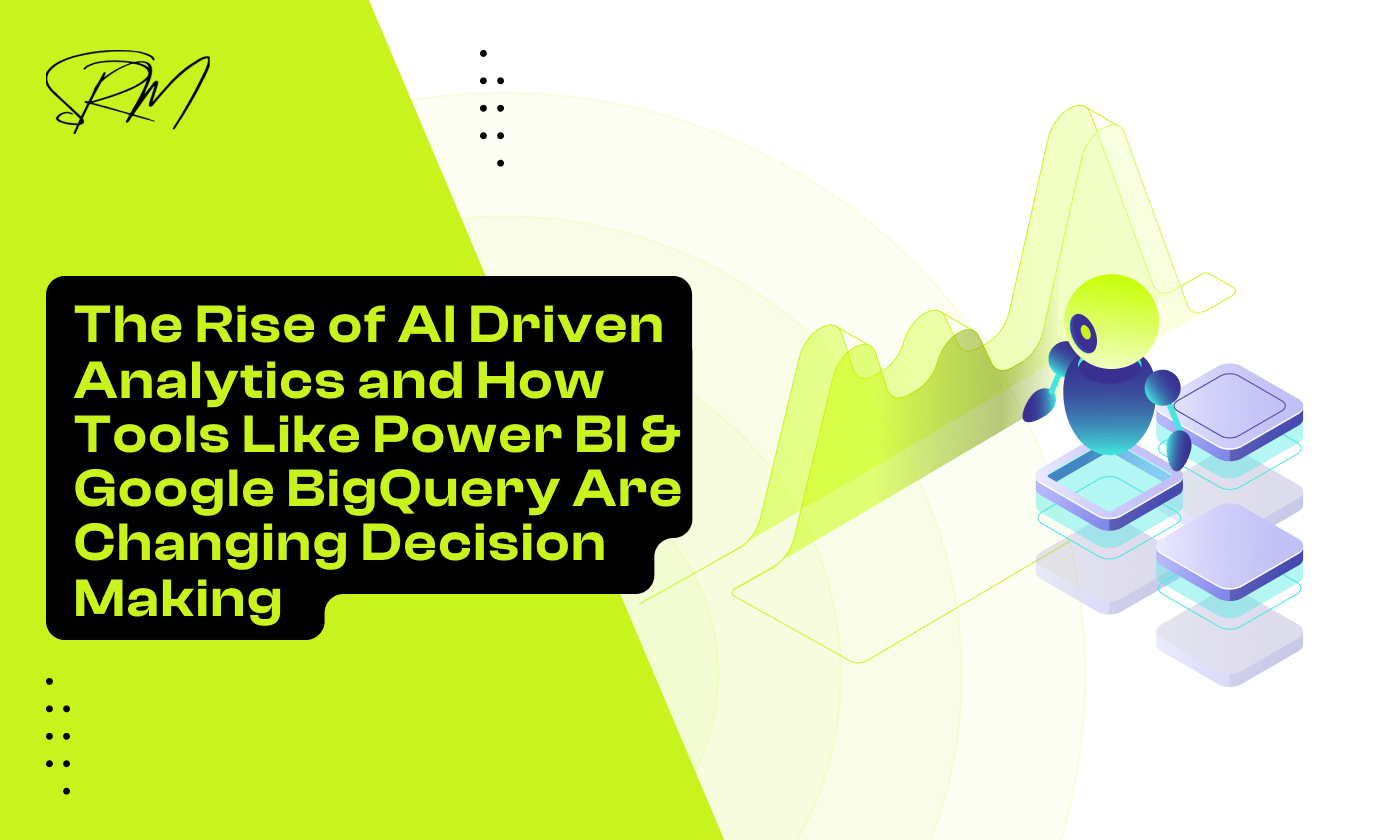
The Rise of AI Driven Analytics and How Tools Like Power BI & Google BigQuery Are Changing Decision Making
Not long ago, business decisions were based on monthly reports, static dashboards, and a fair amount of intuition. Leaders would review last quarter’s numbers, discuss trends in meetings, and then decide what to do next. Today, that approach feels slow. In a world where markets shift overnight and customer behavior changes in real time, waiting for yesterday’s data is no longer enough.
AI driven analytics is reshaping how organizations think, plan, and act. Instead of simply reporting what happened, modern systems can predict what is likely to happen and recommend what to do about it. Tools like Power BI and Google BigQuery are at the center of this transformation. They are helping businesses move from reactive decision making to proactive, intelligent action powered by data.
Table of Contents
Moving Beyond Static Spreadsheets
For decades, the humble spreadsheet was the undisputed king of the office. We lived in rows and columns, manually updating cells and building pivot tables that, by the time they reached a manager’s desk, were already several days old. But in 2026, the pace of business has moved past what a static grid can handle. We are no longer just looking for a record of what happened; we are looking for a map of what is next.
Why looking at the past isn’t enough anymore
Traditional reporting is like driving a car while only looking through the rearview mirror. It tells you exactly where you have been, last month’s sales, yesterday’s inventory levels, or the churn rate from the previous quarter. While that information is valuable, it is reactive.
In today’s market, waiting for a monthly report to tell you that a supply chain bottleneck occurred two weeks ago is a recipe for failure. Modern businesses need to shift from hindsight to foresight. If your data cannot tell you what is likely to happen tomorrow, you are constantly playing catch-up with competitors who already know.
The reality of business analytics in 2026
We have entered an era where data is no longer a static resource sitting in a silo. The reality of 2026 is that data is fluid, massive, and everywhere. With the integration of tools like Google BigQuery, businesses are now processing petabytes of information in the time it used to take to open a large Excel file.
The barrier between collecting data and using data has vanished. We are seeing a shift where analytics is no longer a specialized task performed by a secluded team of experts. Instead, it is a live, breathing part of every department, from marketing to human resources. If you are not using automated systems to sift through the noise, you are simply drowning in it.
What we actually mean when we talk about AI in data
The term AI gets thrown around a lot, often sounding more like science fiction than a business tool. In the context of data analytics, it is much more practical. It is not about a robot making decisions for you; it is about augmented intelligence.
When we talk about AI in data today, we are referring to three core capabilities:
- Pattern Recognition: Finding the tiny correlations in massive datasets that a human eye would miss.
- Natural Language Processing: Being able to ask a tool like Power BI, Which region is likely to underperform next month? and getting an instant, visual answer.
- Automated Machine Learning: Using BigQuery to run complex simulations that predict customer behavior without needing a PhD in statistics.
Essentially, AI is the filter that turns a mountain of raw data into a handful of clear, actionable choices. It takes the guesswork out of the equation so you can focus on the strategy.
How Decisions Are Changing
The way we make choices in a business setting has undergone a massive transformation. It is no longer about who has the loudest voice in the room or who has been at the company the longest. Instead, it is about who has the clearest view of the data.
Modern decision making is becoming more collaborative. In the past, data was often used to prove a point after a choice had already been made. Today, teams use live dashboards to explore what-if scenarios together. Instead of one person making a call in isolation, a group can look at the same set of numbers and see exactly how a change in price or a shift in the market will impact the bottom line. This transparency creates a culture where the best idea wins, regardless of where it comes from.
Why speed is the new currency of business
In the past, a business could afford to wait a week for a report to be compiled, another week for it to be analyzed, and a third week to make a decision. In 2026, that timeline is a death sentence for a project.
Speed is now the ultimate competitive advantage. If a competitor can see a shift in customer behavior and react within hours, while you are still waiting for your data to sync, you have already lost. Tools like Google BigQuery allow for instant data processing, meaning the gap between a problem occurring and a solution being implemented is now measured in minutes. Being fast does not just mean working harder; it means having a system that gives you the right answer the moment you need it.
Relying on data instead of just gut feelings
We all like to think we have a great gut feeling for our industry. While experience is valuable, human intuition is often clouded by bias or outdated information. We tend to remember the one time a risky bet paid off and forget the five times it did not.
AI-driven analytics changes this by providing a cold, hard look at the facts. When you use Power BI to visualize your trends, the data might show that your instinct about a specific market is actually wrong. Deciding based on evidence rather than emotion reduces risk and ensures that resources are spent where they will actually make an impact. It is about moving from I think this will work to I know this is working.
Putting powerful data tools into everyone’s hands, not just the experts
For a long time, data was kept in a locked box controlled by IT experts and data scientists. If a marketing manager wanted to know how a campaign was doing, they had to put in a request and wait.
That wall has finally come down. Modern AI tools are designed for everyone. You do not need to be a coder to get insights from your data anymore. With natural language features, a store manager can simply ask their dashboard, Which products should I restock for the weekend? and get an immediate answer.
This democratization of data means that every person in the company, from the CEO to the delivery driver, can make smarter, more informed choices. When everyone has access to the truth, the whole organization moves faster and more efficiently.
BigQuery: The Heavy Lifting Behind the Scenes
If the dashboard is the face of your strategy, then Google BigQuery is the engine room. While we often focus on the charts and graphs, the real magic happens deep within the data warehouse where billions of rows of information are processed in the blink of an eye. In 2026, companies are generating more data than ever before. Every click, every sale, and every sensor on a delivery truck creates a digital footprint. Traditional databases often buckle under this weight, leading to slow loading times and frozen screens.
Handling the massive amounts of data businesses collect today
BigQuery is built to handle this explosion of information without breaking a sweat. It uses a serverless architecture, which means it automatically scales its power up or down depending on how much work you give it. This allows businesses to keep all their historical data in one place, ensuring that no detail is lost or ignored.
- Scalability: Whether you are analyzing a small spreadsheet or a petabyte-scale dataset, the performance remains lightning fast.
- Unified Storage: You can store all your data in one spot instead of having it spread across different systems.
- Efficiency: The system only uses the resources it needs, making it both powerful and cost-effective for growing companies.
Running machine learning models directly within your data warehouse
One of the biggest hurdles in the past was the gap between storing data and analyzing it with AI. Usually, you had to move data out of your warehouse and into a separate tool to run a machine learning model. This process was slow, expensive, and prone to errors. BigQuery ML changes the game by letting you build and run machine learning models directly where the data lives using simple SQL commands.
You can predict customer churn, forecast future sales, or group customers into segments without ever moving a single byte of data. By bringing the brain to the data rather than moving the data to the brain, companies can develop advanced insights in a fraction of the time. This integration removes the technical barriers that used to keep smaller businesses from using high-level AI.
Why streaming data in real-time is a total game changer
Waiting for a report to update overnight is a habit of the past. In a world that moves this quickly, yesterday’s data is often old news. BigQuery allows for real-time data ingestion, which means as soon as a transaction happens or a customer interacts with your website, that information is available for analysis.
This real-time capability is a total game changer for several reasons:
- Immediate Action: If a specific product starts trending on social media, your inventory systems can see the spike instantly.
- Proactive Adjustments: You can adjust orders before you run out of stock rather than reacting after the shelves are empty.
- Live Monitoring: Managers can watch live performance metrics and make shifts during a busy sale rather than waiting for a post-mortem meeting.
Power BI: Talking to Your Data
If BigQuery is the engine room, then Power BI is the cockpit. It translates complex numbers into a visual story that anyone can understand. In 2026, the way we interact with these dashboards has changed from clicking buttons to having an actual conversation with our information.
Beyond just answering questions, this conversational approach changes how teams brainstorm. Instead of sitting through a long presentation where one person explains a static slide, everyone can participate in a live exploration of the data. If a question comes up mid-meeting that no one prepared for, you can simply type it into the dashboard and see the result immediately. This removes the need for follow-up meetings and keeps the momentum going, as the data can keep up with the speed of the conversation.
Using everyday language to build reports and find answers
One of the most frustrating parts of data analysis used to be the technical barrier. If you wanted a specific view of your sales, you often had to learn complex formulas or wait for a specialist to build the report for you. Now, that barrier has vanished.
- Natural Language Queries: You can simply type a question like, Show me the sales trend for electronics in the Midwest compared to last year, and Power BI will instantly build the chart for you.
- Smart Narratives: Instead of just looking at a bar graph, the tool can generate a written summary that explains exactly what the data is saying in plain English.
- Copilot Integration: AI assistants now help users refine their data models by suggesting the best ways to visualize a specific set of numbers.
How smart visuals help you spot problems before they escalate
Power BI does not just show you what is happening; it points out what you might be missing. Smart visuals use built-in AI to monitor your data for any unusual patterns. For example, if your shipping costs suddenly spike in one specific region, the system can highlight that anomaly automatically.
This proactive approach means you can address a problem the moment it starts. Instead of waiting for a quarterly review to realize you have been overspending, the dashboard flags the issue in real-time. It turns your data into an early warning system that protects your bottom line.
Bringing insights to your phone so you can decide on the go
The days of being tied to a desk to make big decisions are over. Modern business happens everywhere, and your data needs to follow you. Power BI’s mobile capabilities ensure that the same AI-driven insights available on your desktop are also in your pocket.
Whether you are in a warehouse, at a client meeting, or traveling between offices, you have full access to live reports. These mobile versions are not just shrunk-down spreadsheets. They are optimized for touch and can even send you push notifications when a specific goal is met or a metric falls below a certain threshold. This means you can stay informed and take action no matter where you are.
Better Together: Connecting BigQuery and Power BI
When you link the processing power of Google BigQuery with the visualization tools of Power BI, you create a system that is both incredibly fast and easy to use. However, making these two giants work together requires a bit of strategy to ensure you are getting the best results without overspending.
This partnership also helps break down the walls between different parts of a company. Often, marketing data stays in one place while sales data stays in another, making it hard to see the full picture. By using BigQuery as a single home for all your information and Power BI as the window to see it, you ensure that every department is looking at the same version of the truth. This alignment makes it much easier to coordinate big projects and ensures that no one is working with outdated or conflicting numbers.
Finding the right balance between performance and budget
The way you connect these tools determines how fast your reports load and how much they cost to run. There are two main ways to handle this:
DirectQuery: This keeps the data in BigQuery and only pulls what you need when you look at a report. It is perfect for huge datasets where you need up-to-the-minute accuracy, though it requires a strong connection to stay snappy.
Import Mode: This takes a snapshot of your data and moves it into Power BI. It is lightning fast for the user because the data is already loaded, but it is better suited for smaller datasets that only need to be updated a few times a day.
Keeping your data safe while making it accessible
Security is a major concern when you are moving data between a Google cloud environment and a Microsoft reporting tool. The goal is to make sure the right people can see the information they need without leaving the door open to everyone.
By using unified data governance, you can set permissions at the source. This means if a manager only has permission to see sales data for their specific region in BigQuery, those same restrictions will automatically apply when they log into Power BI. You get the best of both worlds: high-level security and easy access for the team members who need it to do their jobs.
Tips for managing costs without sacrificing quality
One of the biggest fears for businesses is getting a surprise bill because their AI tools were running too many expensive searches. Managing costs is about working smarter, not harder.
You can keep your budget under control by being selective about what data you process. Instead of asking BigQuery to scan every single row of data for every report, you can use Aggregated Tables. These are smaller, summarized versions of your data that Power BI can check first. If the answer is in the summary, you save money. If you need more detail, the system can then “drill down” into the larger dataset.
- Schedule Refreshes Wisely: Do not update your data every ten minutes if once an hour is enough for your team.
- Monitor Query Usage: Keep an eye on which reports are the most “expensive” to run and look for ways to simplify them.
- Use Data Caching: Store frequently used results so the system does not have to pay to calculate the same answer twice.
Real-World Wins
Seeing these tools in action is the best way to understand their power. In 2026, industries are no longer just talking about potential; they are seeing measurable results that change how they operate every day.
Predicting what customers want before they even ask
Retail has been transformed by the ability to look forward rather than backward. By feeding historical sales data from BigQuery into AI models, stores can now predict shopping trends with incredible accuracy.
- Hyper-local inventory: A clothing brand can see that a specific style is trending in one city but not another and move stock accordingly before a shortage happens.
- Personalized timing: Instead of sending generic emails, companies can use Power BI to identify exactly when a customer is likely to run out of a product and offer a discount at that exact moment.
- Reducing Waste: Grocery stores are using these insights to order fresh produce more accurately, significantly cutting down on food waste and saving millions in lost revenue.
Catching fraud as it happens
In the world of finance, speed is the only way to stop a criminal. Traditional fraud detection used to flag suspicious activity after the money was already gone. Now, the process happens in milliseconds.
The system monitors thousands of transactions at once. If a purchase looks out of character, the AI flags it instantly within BigQuery. This information is pushed to a Power BI dashboard used by security teams, allowing them to block a transaction while the user is still at the checkout. This transition from investigating past crimes to preventing them in real-time has saved banks and customers billions of dollars.
Using data to save time and resources in healthcare
Healthcare is perhaps the most impactful area for AI-driven analytics. Hospitals are using these tools to manage everything from patient flow to life-saving equipment.
By analyzing patient data, hospitals can predict busy periods, such as a spike in flu cases or emergency room visits during a holiday weekend. This allows them to schedule the right number of doctors and nurses in advance, reducing wait times and improving care. Furthermore, doctors can use Power BI to track patient recovery patterns, spotting small health changes that might require a change in treatment before the situation becomes critical.
The Human Side of the Equation
Even with the most powerful cloud processing and the smartest visuals, the most important part of the process is still the person sitting behind the screen. AI is a tool to help us think better, not a replacement for human judgment. To get the most out of these systems, we have to change how we think about our relationship with technology.
Understanding the technology so it does not feel like a black box
One of the biggest hurdles to adopting AI is trust. If a dashboard tells a manager to cut spending in a certain area but doesn’t explain why, it feels like a black box. This can lead to people ignoring the data and going back to their old ways.
To solve this, modern tools focus on transparency. Instead of just giving a final number, Power BI can show the factors that led to a prediction. When you can see that the AI is suggesting a change based on rising shipping costs and a dip in local demand, the technology starts to feel like a helpful colleague rather than a mysterious machine. Understanding the logic makes it much easier to act on the advice with confidence.
Why clean data is the foundation of everything
There is an old saying in the world of computing: garbage in, garbage out. This has never been truer than in 2026. An AI model running in BigQuery is only as smart as the data you feed it. If your records are full of duplicates, missing dates, or incorrect labels, the insights you get back will be flawed. While we focus on internal accuracy, the public web is facing a different crisis; as noted in our recent discussion on the growing problem of garbage AI SERPs, search engines are struggling to separate real expertise from automated filler. This makes your internal, verified data warehouse even more valuable.
- Standardization: Ensuring every department records information the same way so the systems can talk to each other.
- Regular Maintenance: Treating data like a garden that needs to be weeded and tended to stay healthy.
- Accuracy: Double-checking the sources of your information to ensure the AI is learning from the truth.
How the role of a data analyst is changing for the better
In the past, data analysts spent about eighty percent of their time doing boring tasks like cleaning spreadsheets and building basic charts. It was exhausting work that didn’t leave much room for actual thinking.
Thanks to AI-driven tools, that role is evolving for the better. The heavy lifting is now handled by the software, which frees up analysts to focus on strategy. Instead of being the person who makes the report, the analyst has become the person who interprets the report. They are now data storytellers and strategists who help the business understand what the numbers mean for the future. This shift makes the job more creative, more impactful, and far more rewarding.
FAQs
Do I need to be a data scientist to use Power BI and BigQuery?
No. In 2026, these tools use natural language processing, allowing anyone to ask questions in plain English. The AI handles the complex coding and math behind the scenes, making data accessible to all team members.
How does AI reduce data processing costs?
AI optimizes how data is scanned. By using smart filtering and summarized tables, BigQuery only processes the specific information needed for your report. This reduces computing waste and keeps cloud costs manageable.
Is data secure when connecting Google and Microsoft platforms?
Yes. You can use unified data governance to sync permissions across both tools. If a user is restricted from seeing data in BigQuery, those same security rules automatically apply in Power BI, ensuring full encryption and privacy.
Can AI help if my data is currently messy?
AI can spot errors, but accuracy depends on clean data. It is best to use BigQuery to standardize and clean your information first. Once your data is organized, the AI can provide much more reliable and actionable predictions.
How fast can I see results after setup?
Insights are often visible instantly once the connection is live. You can immediately see real-time trends and anomalies that were hidden in static files. The value increases over time as the AI learns your specific business patterns.
Wrapping Up: Looking Ahead
Moving toward AI-driven analytics is no longer a luxury for the few, but a necessity for any business that wants to stay relevant. By combining the massive processing power of Google BigQuery with the intuitive, conversational interface of Power BI, organizations are finally breaking free from the limitations of the past. Decisions that once took weeks of manual data crunching now happen in seconds, allowing teams to focus on creativity and strategy rather than just surviving a mountain of spreadsheets.
As we look toward the rest of 2026 and beyond, the focus will continue to move toward proactive and autonomous intelligence. The most successful companies will be those that treat their data as a living asset, constantly refined and easily accessible to every employee. It is not just about having the best tools; it is about building a culture where evidence beats intuition and where every person has the power to ask their data the right questions.
The journey to becoming a data-driven organization starts with a single step. Whether you are optimizing a small retail shop or managing a global supply chain, the combination of cloud scale and artificial intelligence is ready to work for you. By embracing these tools today, you are not just keeping up with the competition; you are building a smarter, faster, and more resilient future for your entire business.
February 24, 2026
Agentic Analytics vs Traditional BI Tools: Power BI,...
February 24, 2026