How to Build a Scalable Cloud-Based Analytics Platform Using BigQuery, Looker, and Modern BI Tools
Modern businesses generate data at a scale and speed that traditional analytics systems struggle to handle. As teams rely more on real-time insights for decision making, the need for a scalable, flexible, and cost-efficient analytics platform becomes critical. Cloud-based analytics platforms solve this challenge by separating storage from compute, enabling organizations to analyze massive datasets without worrying about infrastructure limitations.
BigQuery, Looker, and modern BI tools together form a powerful cloud-native analytics ecosystem. BigQuery acts as a highly scalable data warehouse capable of processing large volumes of data with minimal operational overhead, while Looker provides a governed semantic layer that ensures consistent metrics across teams. When combined with modern BI tools, this stack enables self-service analytics, faster insights, and reliable reporting for both technical and non-technical users.
Table of Contents
The Shift Toward Scalable Cloud-Based Analytics
Organizations today are dealing with an unprecedented increase in data coming from applications, customer interactions, marketing platforms, and connected devices. Traditional analytics systems were not designed to handle this volume, velocity, and variety of data. As a result, many businesses are shifting toward cloud-based analytics platforms that can scale on demand, adapt quickly to new data sources, and support real-time decision making without constant infrastructure upgrades.
Cloud-based analytics changes how teams work with data. Instead of maintaining complex on-prem infrastructure, organizations can focus on analyzing data and delivering insights. Platforms like BigQuery allow compute and storage to scale independently, while modern BI tools make analytics accessible across teams. This shift enables faster experimentation, improved collaboration, and the ability to respond to business changes without technical bottlenecks.
Why Scalability Matters in Modern Analytics
Scalability is no longer a nice-to-have feature; it is a core requirement for modern analytics. As data volumes grow, analytics platforms must handle increasing workloads without degrading performance or driving unpredictable costs. Scalable analytics systems ensure that queries remain fast, dashboards stay responsive, and reports continue to deliver insights even as usage and data complexity increase.
Scalability also supports business growth. When new teams, products, or regions are added, a scalable analytics platform can accommodate these changes without major re-architecture. This allows organizations to adopt self-service analytics, onboard new users easily, and build advanced use cases such as real-time reporting and predictive analytics without friction.
Common Problems with Traditional Analytics Setups
Traditional analytics setups often rely on fixed infrastructure that struggles to keep up with modern data demands. Scaling typically requires manual capacity planning, hardware upgrades, and long implementation cycles. This leads to slow query performance, delayed reports, and limited access to data for business users.
Another major challenge is data silos. Many legacy systems store data across disconnected databases, making it difficult to create a unified view of the business. Governance and cost management also become complex as teams duplicate data, create inconsistent metrics, and rely heavily on technical resources for simple reporting tasks. These limitations push organizations toward cloud-based analytics platforms that are designed for scalability, flexibility, and collaboration from the start.
Cloud-Based Analytics Architecture Overview
A modern cloud-based analytics architecture is designed to handle growing data volumes, multiple data sources, and diverse analytics use cases without adding operational complexity. Unlike traditional systems, cloud analytics platforms are modular and loosely coupled, allowing each layer to scale independently. This architecture makes it easier to adapt as business requirements evolve, new tools are added, or data consumption patterns change.
At a high level, a cloud analytics platform connects data sources to a centralized data warehouse and then exposes that data through a semantic layer and BI tools. Each component has a clearly defined role, ensuring better performance, governance, and flexibility. This layered approach also helps teams isolate issues, optimize costs, and maintain consistency across analytics workflows.
Core Layers of a Cloud Analytics Platform
A cloud analytics platform typically consists of multiple layers that work together to move data from raw sources to actionable insights. Each layer is optimized for a specific purpose and can scale independently based on workload demands.
Data Source Layer
- Applications, databases, SaaS tools, logs, and event streams
- Internal systems and third-party platforms
Data Ingestion Layer
- Batch and streaming data ingestion tools
- Reliable pipelines for moving data into the cloud
Data Storage and Processing Layer
- Centralized cloud data warehouse
- Scalable storage and high-performance query processing
Transformation and Modeling Layer
- Data cleaning, enrichment, and aggregation
- Business-ready datasets for analytics and reporting
Semantic and Analytics Layer
- Standardized metrics and definitions
- Governed access to data for BI tools
Visualization and Consumption Layer
- Dashboards, reports, and self-service analytics
- Data access for business and technical users
How Cloud-Native Services Enable Flexibility
Cloud-native services provide the foundation for flexibility in modern analytics platforms. Because infrastructure is fully managed, teams no longer need to worry about server provisioning, capacity planning, or system maintenance. This allows analytics teams to focus on building reliable data models, optimizing performance, and delivering insights faster.
Another key advantage of cloud-native services is elasticity. Resources can scale up during peak usage and scale down when demand is low, helping organizations balance performance and cost. Cloud-native platforms also integrate easily with other services such as machine learning, orchestration, and security tools, making it easier to extend analytics capabilities as needs grow.
Key Flexibility Benefits of Cloud-Native Analytics
- Independent scaling of storage and compute
- Faster onboarding of new data sources and tools
- Support for batch, streaming, and real-time analytics
- Easy integration with AI and automation services
Where BigQuery and BI Tools Fit in the Architecture
BigQuery sits at the core of the cloud-based analytics architecture as the centralized data warehouse. It stores large volumes of structured and semi-structured data and enables fast SQL-based analysis at scale. BigQuery also acts as the single source of truth, ensuring consistency across analytics use cases and teams.
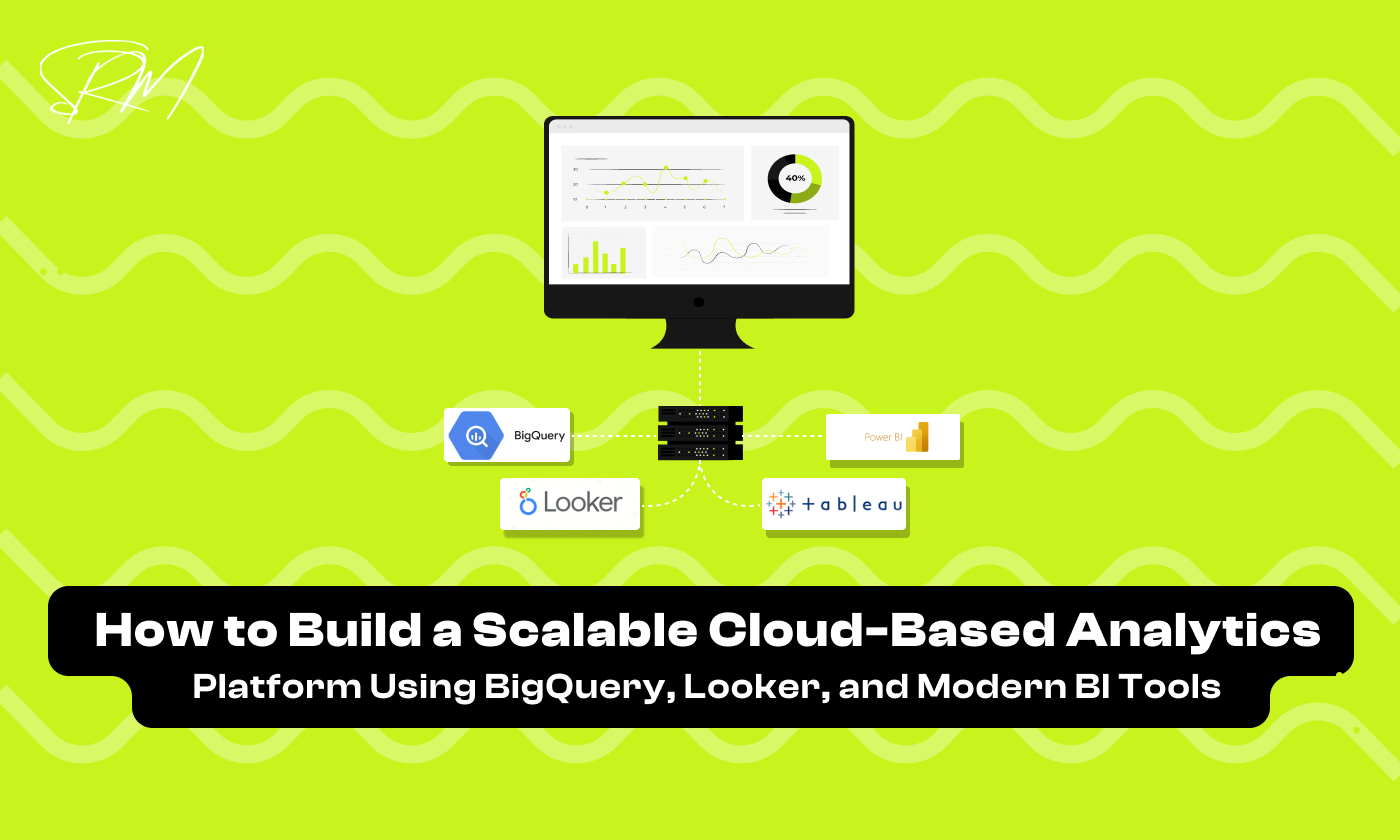
BI tools such as Looker, Looker Studio, Power BI, or Tableau connect to BigQuery to visualize data and deliver insights. Looker adds a semantic layer on top of BigQuery, defining consistent metrics and dimensions, while other BI tools focus on dashboarding and ad-hoc analysis. Together, BigQuery and modern BI tools form the foundation of a scalable, governed, and user-friendly analytics platform.
BigQuery as the Analytics Data Warehouse
BigQuery plays a central role in a scalable cloud-based analytics platform by acting as the primary data warehouse. It is designed to handle massive volumes of data while delivering fast query performance with minimal operational effort. Because BigQuery is fully managed, teams do not need to worry about infrastructure provisioning, maintenance, or scaling, making it ideal for organizations that want to focus on analytics rather than system administration.
As data volumes grow and analytics use cases become more complex, BigQuery provides a stable foundation that can support everything from ad-hoc analysis to production-grade reporting. Its ability to integrate seamlessly with BI tools and other cloud services makes it a natural choice for modern analytics architectures.
Why BigQuery Is Built for Scale
BigQuery is built on a serverless architecture that automatically scales to meet workload demands. Whether you are running simple queries on small datasets or complex analytics on petabytes of data, BigQuery adjusts resources behind the scenes to deliver consistent performance. This removes the need for manual capacity planning and allows teams to scale analytics usage without re-architecting their systems.
Another reason BigQuery scales so effectively is its distributed processing engine. Queries are executed across multiple nodes in parallel, enabling fast processing of large datasets. This makes BigQuery well suited for high-concurrency environments where multiple users and BI tools query the data simultaneously.
Storage and Compute Separation Explained
One of the key design principles behind BigQuery is the separation of storage and compute. Data is stored in a highly durable and cost-efficient storage layer, while compute resources are allocated dynamically when queries are executed. This separation allows organizations to store large amounts of data without paying for unused compute capacity.
From an analytics perspective, this model offers significant flexibility. Teams can scale compute up during heavy reporting periods and scale it down when demand is low. It also enables better cost control, as organizations pay for compute only when queries are run, rather than maintaining fixed infrastructure regardless of usage.
Handling Large Datasets and Complex Queries
BigQuery is optimized for querying large datasets and performing complex analytical operations. It supports advanced SQL features, including window functions, nested and repeated fields, and complex joins, making it suitable for sophisticated analytics workloads. These capabilities allow analysts and data teams to work directly with raw and semi-structured data without extensive preprocessing.
To maintain performance at scale, BigQuery provides features such as partitioning and clustering. These features help reduce the amount of data scanned during queries, improving performance and lowering costs. Combined with proper data modeling and query optimization, BigQuery enables organizations to analyze large datasets efficiently while maintaining responsive dashboards and reports.
Data Ingestion and Transformation Approach
A scalable cloud-based analytics platform depends heavily on how data is ingested, structured, and prepared for analysis. Without a clear ingestion and transformation strategy, even the most powerful data warehouse can become difficult to manage and expensive to operate. This stage ensures that data flows reliably from multiple sources into BigQuery and is shaped into a format that analytics and BI tools can easily consume.
An effective approach focuses on centralization, consistency, and flexibility. By designing ingestion pipelines and transformation logic with scale in mind, organizations can support new data sources, growing data volumes, and evolving analytics requirements without constant rework.
Integrating Multiple Data Sources into BigQuery
Modern analytics requires data from a variety of systems to come together in a centralized platform. Businesses often deal with application databases, marketing tools, SaaS platforms, and internal services, each storing critical information. To make data truly actionable, it needs to be consolidated into a single environment, BigQuery, so teams can analyze it efficiently and consistently.
Centralizing data into BigQuery not only eliminates silos but also ensures that metrics are consistent across all reports and dashboards. Once integrated, BI tools and analytics platforms can generate reliable insights without relying on multiple disconnected sources, saving time and improving decision-making.
Steps to Integrate Multiple Data Sources into BigQuery
- Identify and prioritize data sources: List all systems (databases, SaaS tools, internal apps) and determine which are critical for analytics.
- Select the appropriate ingestion method: Decide between batch or streaming ingestion based on latency and reporting needs.
- Use connectors or APIs: Leverage native BigQuery connectors, ETL/ELT tools, or APIs to automate data transfer.
- Centralize raw data in staging tables: Store data in raw format first to preserve original values and enable auditing.
- Transform and model the data: Clean, enrich, and structure data into analytics-ready tables for dashboards and reports.
- Validate and monitor: Ensure data quality and monitor pipelines for failures or inconsistencies.
- Enable access for BI tools: Connect Looker, Tableau, Power BI, or other tools to the prepared datasets for analysis.
Data Modeling and Transformation Best Practices
Raw data is rarely suitable for direct analysis. Data modeling and transformation convert raw inputs into structured, analytics-ready datasets that are easy to query and understand. In BigQuery, transformations are typically performed using SQL to clean, enrich, and aggregate data.
A common best practice is to organize data into layers, separating raw data from transformed and analytics-ready tables. This approach improves maintainability, reduces errors, and allows teams to scale transformations as data volumes and use cases grow.
Ensuring Data Quality and Consistency
As analytics platforms scale, maintaining data quality becomes increasingly important. Poor data quality can lead to incorrect insights and reduced trust in analytics outputs. Validating data during ingestion and transformation helps identify issues such as missing values, duplicates, or unexpected schema changes.
Consistency is equally critical. Standardized naming conventions, shared definitions, and governed transformation logic ensure that metrics mean the same thing across dashboards and reports. When quality and consistency are built into the ingestion and transformation process, the analytics platform becomes more reliable and easier to scale over time.
Looker and the Semantic Layer
A scalable analytics platform requires a semantic layer to ensure consistency, accuracy, and clarity across all reports and dashboards. The semantic layer connects raw data in BigQuery to meaningful business concepts, making analytics accessible for non-technical teams while maintaining governance and reliability.
A well-implemented semantic layer also reduces dependency on technical teams for everyday reporting. Business users can explore data, create dashboards, and generate insights without writing complex SQL queries, while data engineers and analysts maintain control over definitions and transformations. This balance between accessibility and governance ensures faster decision-making, fewer errors, and more trust in the analytics platform across the organization.
Importance of a Semantic Layer in Analytics
A semantic layer acts as the “translator” between raw data and business-friendly metrics. Without it, different teams may interpret data differently, leading to inconsistencies and poor decision-making. By standardizing definitions, calculations, and relationships, the semantic layer ensures everyone in the organization works from a single source of truth.
Beyond consistency, a semantic layer also enhances collaboration across teams. When marketing, sales, finance, and product teams all reference the same metrics and definitions, cross-functional projects run more smoothly, and miscommunication is minimized. It allows stakeholders to focus on insights and strategy rather than debating which version of the data is correct, making the analytics platform a true driver of business decisions.
How Looker Standardizes Metrics and Dimensions
Looker uses LookML to define metrics, dimensions, and relationships directly on top of BigQuery tables. This approach allows analysts to:
- Create consistent calculations across all reports and dashboards
- Reduce errors caused by manual SQL queries
- Provide business users with self-service access to trusted metrics
- Ensure that KPIs remain uniform across teams, regardless of who accesses the data
Building Reusable and Governed Data Models
To scale analytics effectively, reusable and governed data models are critical. Best practices include:
- Define core metrics and dimensions: Identify key metrics such as revenue, conversion rate, or churn and standardize their definitions.
- Create reusable LookML models: Map BigQuery tables into Looker models that can be used across multiple dashboards and reports.
- Implement access controls: Protect sensitive data with user roles and permissions within Looker.
- Test and validate metrics: Ensure that all calculations match business expectations and raw data.
- Document the semantic layer: Maintain clear documentation so new team members understand the structure, relationships, and logic of the models.
Implementing a semantic layer with Looker not only improves consistency and trust in your analytics but also enables teams to scale reporting efficiently, making your cloud-based analytics platform more reliable and effective.
Performance, Cost, and Governance Considerations
Building a scalable cloud-based analytics platform is not just about storing and visualizing data. To ensure long-term success, organizations must focus on performance, cost efficiency, and governance. Optimizing these areas helps teams run queries faster, control cloud spending, and maintain data security and reliability as usage grows.
Query Optimization and Performance Tuning
Even the most powerful data warehouses like BigQuery can experience slow queries if data is not structured efficiently or queries are poorly designed. Performance tuning is essential to deliver fast, responsive dashboards and analytics reports.
Key practices include:
- Partitioning and clustering tables to reduce the amount of data scanned during queries
- Avoiding SELECT *** statements and retrieving only necessary columns
- Materializing frequently used views to reduce repetitive computation
- Monitoring query performance regularly to identify bottlenecks and optimize SQL
By optimizing queries and designing efficient data models, organizations ensure that analytics workloads remain fast and cost-effective even as datasets grow.
Managing and Controlling Analytics Costs
Cloud-based analytics platforms like BigQuery operate on a pay-per-query or storage model, which can lead to unpredictable costs if not monitored. Controlling expenses is critical for sustainable growth.
Best practices include:
- Monitoring usage patterns to identify heavy queries or inefficient jobs
- Setting budget alerts and cost thresholds to prevent unexpected bills
- Encouraging caching and aggregation to reduce repetitive query costs
- Optimizing data storage by archiving old or unused datasets
A proactive cost management strategy ensures that your analytics platform scales without inflating expenses.
Role-Based Access and Data Security
As analytics platforms grow, multiple teams and stakeholders access sensitive business data. Implementing role-based access control ensures that users see only the data they are authorized to view.
Key considerations:
- Define roles and permissions based on team requirements
- Restrict access to sensitive datasets while enabling self-service analytics
- Audit access logs regularly to detect unauthorized activity
- Encrypt data at rest and in transit to maintain security compliance
Proper access control and security practices protect your organization while empowering teams to leverage data safely.
Governance Best Practices for Growing Teams
Data governance ensures that analytics remain reliable, consistent, and compliant as the organization grows. It includes processes, standards, and responsibilities for managing data effectively.
Key governance practices include:
- Standardizing data definitions and metrics across all dashboards and reports
- Documenting data models and transformations for team transparency
- Establishing a data stewardship process to assign ownership of datasets
- Regularly reviewing and updating governance policies as new tools and teams are added
Strong governance ensures that analytics remains trustworthy, scalable, and aligned with business objectives.
Scaling Analytics with Modern BI Tools
As organizations grow, enabling data-driven decision-making across teams becomes critical. Modern BI tools help scale analytics by providing self-service capabilities, automating reporting, and allowing teams to explore insights without depending on technical experts. By leveraging these tools effectively, businesses can empower teams, reduce bottlenecks, and make data a central part of everyday operations.
Enabling Self-Service Analytics Across Teams
Self-service analytics empowers business users to explore and analyze data on their own, without relying on data engineers or analysts. By providing curated datasets, governed metrics, and intuitive dashboards, teams can generate insights faster and make data-driven decisions confidently. This approach reduces bottlenecks, increases adoption of analytics across departments, and allows technical teams to focus on strategic initiatives instead of routine report generation.
Choosing the Right BI Tools for Different Users
Different users have different analytics needs, and selecting the right BI tools ensures everyone can work effectively. Technical analysts may need advanced modeling, custom SQL, and deep data exploration capabilities, while business users often prefer intuitive dashboards and drag-and-drop visualizations. Evaluating tools based on usability, integration with BigQuery, governance features, and collaboration options ensures that all team members can access accurate insights without confusion or friction.
Automating Dashboards and Recurring Reports
Automation in BI platforms streamlines reporting and keeps teams focused on analysis rather than repetitive tasks. By scheduling dashboards, automating recurring reports, and setting alerts for key metrics, organizations ensure that insights are delivered consistently and on time. Automated workflows reduce errors, maintain historical data for comparison, and provide teams with real-time notifications for anomalies or critical changes, helping businesses act faster and smarter.
Frequently Asked Questions (FAQs)
What exactly is a cloud-based analytics platform, and how can it help my business?
A cloud-based analytics platform brings all your business data into one centralized system hosted in the cloud. In practice, this means your marketing, sales, product, and finance teams can access the same datasets, run queries quickly, and make data-driven decisions without relying on IT for every report.
Why choose BigQuery instead of traditional on-prem data warehouses?
BigQuery is fully managed and scales automatically with your data. For example, if your company wants to analyze millions of rows from multiple sources overnight, BigQuery handles the processing without extra servers. Its integration with tools like Looker also makes building dashboards faster and more reliable.
How does Looker’s semantic layer make analytics more reliable?
The semantic layer in Looker ensures everyone in your organization is using the same definitions for metrics like revenue, churn, or conversion rate. This prevents conflicting reports and saves teams from spending hours reconciling numbers, so your business decisions are based on consistent, trusted data.
How can I control costs when using cloud-based analytics?
Costs can rise if queries are inefficient or if data isn’t organized properly. In practice, this means: scheduling heavy jobs during off-peak hours, partitioning tables in BigQuery, using batch ingestion where possible, and setting budget alerts. These steps keep your analytics platform efficient without unexpected bills.
Can modern BI tools really scale analytics for all teams?
Yes. Tools like Looker, Tableau, and Power BI allow non-technical users to explore data, generate dashboards, and get insights independently. Analysts spend less time running ad-hoc queries, while business teams can track performance in near real-time. This makes your analytics system scalable and more impactful across departments.
Conclusion
Building a scalable cloud-based analytics platform is no longer optional for data-driven organizations, it’s essential. By centralizing data in BigQuery, implementing a semantic layer with Looker, and leveraging modern BI tools, businesses can ensure consistent, reliable, and actionable insights across all teams.
A well-designed platform not only improves performance and governance but also empowers teams to explore data independently, automate reporting, and make faster, smarter decisions. Focusing on query optimization, cost management, and data security ensures the platform remains efficient and sustainable as your data and team grow.
In practice, the combination of a robust cloud data warehouse, a governed semantic layer, and intuitive BI tools enables organizations to scale analytics without sacrificing accuracy or control. Investing in these systems today sets the foundation for a future where data drives every strategic decision with confidence and speed.
Looking ahead, the demand for real-time insights and scalable analytics will only continue to grow. Organizations that invest in a modern cloud-based analytics platform today will be better positioned to adapt to evolving business needs, incorporate emerging technologies like AI and machine learning, and maintain a competitive edge. By combining the power of BigQuery, Looker, and modern BI tools, teams can not only analyze data efficiently but also unlock its full potential to drive innovation and strategic growth.
January 28, 2026
Data Storytelling with Analytics How to Turn Metrics...

January 28, 2026