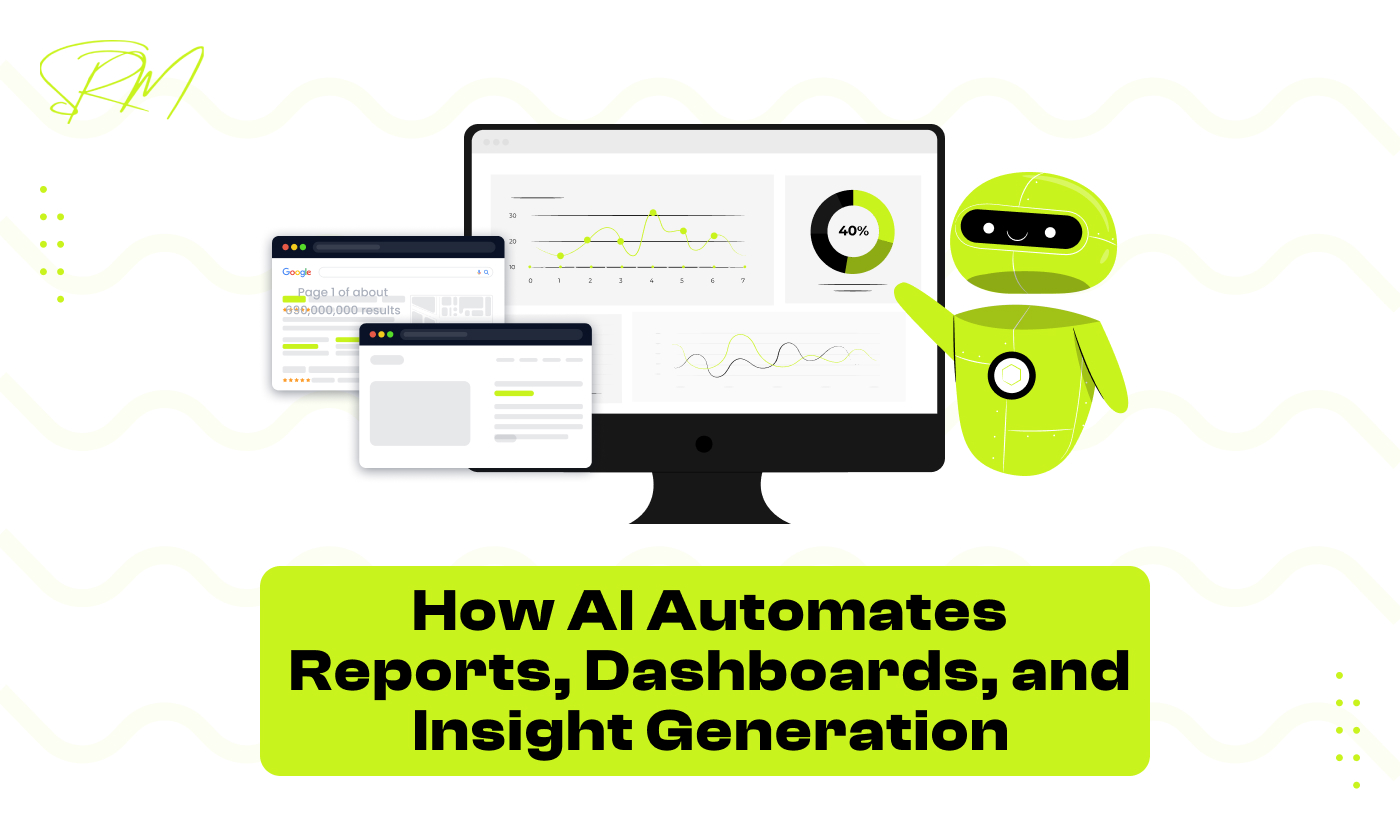
How AI Automates Reports, Dashboards, and Insight Generation
Today, businesses generate a huge amount of data from different sources such as websites, apps, sales tools, and customer interactions. Simply having data is not enough anymore. Businesses need clear and quick understanding from that data to make the right decisions at the right time.
Earlier, reports and dashboards were created manually. This process was slow and required a lot of effort. In many cases, the data became outdated by the time the report was ready. This is why reporting and analytics are now changing and becoming more advanced.
Why Reporting and Analytics Are Evolving: Traditional reporting depends heavily on manual work. Data has to be collected, cleaned, and converted into reports by people. This increases the chances of errors and delays. As businesses grow, the amount of data also increases. Manual reporting cannot handle large data volumes efficiently. Business leaders now expect real time insights instead of waiting for weekly or monthly reports.
To meet these expectations, reporting and analytics are evolving to become faster, more automated, and easier to understand for non technical users.
The Role of AI in Modern Decision Making: AI helps by automating most of the reporting and analysis work. It can gather data from multiple systems, organize it, and present it in a simple and clear way. Instead of only showing numbers, AI highlights trends, changes, and important insights. This helps decision makers understand what is happening without deep technical knowledge. AI supports better decision making by saving time, reducing manual effort, and providing accurate insights that businesses can trust.
Table of Contents
The Shift From Manual Reporting to AI Led Analytics
For a long time, businesses depended on manual reports created using spreadsheets and basic tools. These reports worked when data was small and changes were slow. But today, businesses deal with large amounts of data that change every day or even every minute.
Manual reporting takes time and effort. Teams have to collect data, update files, and check numbers again and again. This makes reporting slow and difficult to manage. Because of this, many businesses are now moving toward AI led analytics, which can handle data faster and more efficiently.
Why Spreadsheets and Static Reports Are Failing
Spreadsheets are useful, but they have limits. When data grows, spreadsheets become complex and hard to maintain. One small mistake in a formula can change the entire report. Static reports show data from a specific point in time. Once they are created, they do not update automatically. This means decisions are often made using old information.
Also, spreadsheets and static reports are not easy for everyone to understand. Non technical users may find them confusing, which makes it harder for teams to work together and take quick action.
How AI Changes the Speed and Accuracy of Reporting
AI makes reporting faster and more reliable by removing manual steps. Instead of people collecting data and updating reports one by one, AI systems handle most of the work automatically. This allows businesses to get updated information quickly and trust the numbers they see.
Step 1: Automatic Data Collection
AI connects directly to different data sources such as sales tools, websites, and marketing platforms. It pulls data automatically without manual downloading or copying.
Step 2: Data Cleaning and Validation
AI checks the data for missing values, duplicates, or errors. It fixes common issues or flags problems early, which improves accuracy.
Step 3: Real Time Report Updates
Once the data is processed, AI updates reports and dashboards automatically. This ensures the information is always current.
Step 4: Error Reduction
Since formulas and logic are handled by AI models, the risk of human mistakes is greatly reduced compared to spreadsheets.
Step 5: Clear Insight Presentation
AI highlights key changes, trends, and unusual patterns. It helps users focus on what matters most instead of reading long tables of numbers.
Step 6: Faster Decision Making
With accurate and up to date reports, teams can make decisions quickly and confidently, even without technical knowledge.
How AI Understands and Prepares Raw Data
Raw data is often messy and difficult to use. It comes from many systems, uses different formats, and may contain errors. Before any report or dashboard can be created, this data must be prepared properly.
Earlier, this work was done manually by data teams, which took a lot of time. AI now makes this process easier by automatically understanding, organizing, and preparing data for analysis. This allows businesses to focus more on insights instead of data fixing.
Automatic Data Source Mapping
Most businesses collect data from multiple tools such as sales systems, marketing platforms, finance software, and websites. Each tool stores data in its own structure.
AI can connect to these systems and automatically understand how the data is organized. It identifies similar fields like dates, customer names, product IDs, and revenue values, even if they are named differently.
By mapping these fields correctly, AI ensures that data from different sources can be combined without confusion. This reduces setup time and avoids manual linking errors. As a result, reports become more accurate and easier to maintain.
Smart Data Cleaning Without Human Rules
Data often comes with mistakes such as duplicates, spelling errors, extra spaces, or wrong formats. In the past, people had to write specific rules or formulas to fix these problems. This process was slow, hard to maintain, and often broke when new types of errors appeared.
AI makes data cleaning smarter and easier. Instead of relying on fixed rules, it learns patterns in the data and automatically detects what seems incorrect. It adapts as new data comes in, which means the data stays cleaner with much less manual effort.
How AI cleans data :
- Detecting duplicates: Finds repeated entries and merges or removes them automatically.
- Standardizing formats: Fixes inconsistent formats like dates, phone numbers, or currency values.
- Correcting typos and errors: Identifies common spelling mistakes in names, products, or categories.
- Trimming unnecessary spaces: Removes extra spaces or special characters that can cause errors.
- Flagging unusual data: Highlights values that seem unusual so users can review them if needed.
- Adapting over time: Learns from historical data to handle new patterns and errors automatically.
By doing this, AI ensures data is accurate, consistent, and ready for analysis without relying on manual checks.
Handling Missing and Inconsistent Data at Scale
Missing values and inconsistent data are common problems, especially when data comes from many systems. Manually fixing these issues works only for small datasets.
AI can quickly scan large amounts of data and identify where values are missing or inconsistent. It understands how these gaps affect reporting and analysis. In some cases, AI can estimate missing values using past data patterns.
When estimation is not possible, AI highlights the issue clearly so users know where the data is incomplete. This helps businesses make informed decisions without being misled by poor data quality.
Continuous Learning From Historical Data
AI becomes smarter over time by learning from historical data. It observes how data normally behaves, what errors occur often, and how they are usually resolved. As more data is processed, AI improves its ability to prepare new data accurately. It recognizes patterns faster and reduces the need for manual corrections.
This continuous learning ensures that data preparation improves over time. Reports become more reliable, and teams can trust the insights without constantly checking the data manually.
How AI learns and improves with historical data:
- Recognizing recurring patterns: Identifies trends and normal behavior in the data to handle new entries more effectively.
- Predicting likely errors: Understands common mistakes and automatically corrects them before they affect reports.
- Adapting to new formats: Learns how different systems structure data and adjusts to new formats without manual rules.
- Improving data cleaning rules automatically: Updates its cleaning logic based on what worked well in the past.
- Enhancing anomaly detection: Becomes better at spotting unusual values or trends that might indicate a problem.
By continuously learning, AI reduces errors, speeds up data preparation, and ensures businesses always have accurate, ready-to-use data for insights.
AI Powered Report Automation in Real World Scenarios
Creating reports manually takes a lot of time and effort. Teams often spend hours or even days collecting data, updating spreadsheets, and preparing dashboards. AI changes this by automating report generation, making reporting faster, more accurate, and easier to understand.
Businesses can now get insights almost instantly, without waiting for human teams to compile reports. AI also makes reports smarter by adding context and adapting as business needs change.
Auto Generated Daily, Weekly, and Monthly Reports
AI can automatically generate reports on any schedule – daily, weekly, or monthly, without human intervention.
How it works:
- Data collection: AI gathers data from multiple systems automatically.
- Report creation: Creates pre-designed reports based on business needs.
- Scheduling: Sends reports automatically to stakeholders at the right time.
- Consistency: Every report follows the same format, reducing errors.
This saves time and ensures teams always have access to up-to-date information.
Context Based Report Narratives Instead of Raw Numbers
Instead of just showing numbers and charts, AI can explain what the numbers mean in simple language. This makes it easier for non-technical users to understand insights quickly.
AI adds context by:
- Highlighting important trends and changes in data.
- Explaining why a metric has increased or decreased.
- Suggesting potential actions based on observed patterns.
- Summarizing complex data into short, understandable sentences.
This approach makes reports more actionable and reduces the time spent interpreting data.
Adapting Reports as Business Metrics Change
Business priorities and metrics often change over time. Traditional reports may not reflect these changes immediately, which can lead to outdated insights.
AI adapts by:
- Updating reports automatically when new metrics are added or old ones are removed.
- Adjusting dashboards and visualizations based on changing goals.
- Recognizing which metrics are most important and highlighting them.
- Ensuring reports stay relevant and accurate even as business needs evolve.
With AI, businesses no longer have to constantly redesign reports to keep up with changing goals.
Dashboards That Think, Not Just Display
Dashboards are no longer just static charts or tables. In the past, teams had to manually decide which metrics to include and how to arrange them. This often made dashboards cluttered, confusing, or outdated. AI changes this completely. Modern AI-powered dashboards act like smart assistants, they know what information matters most, adjust visuals automatically, and provide insights in real time. Instead of just showing data, these dashboards help users understand trends, spot issues, and make decisions quickly.
How AI Decides What Metrics Matter Most
Not every number in a dashboard is important. Traditional dashboards show everything, which can overwhelm users and make it hard to focus. AI identifies the key metrics that truly impact business results. By analyzing patterns in historical data and current trends, AI ensures teams focus on what really matters.
How AI identifies key metrics:
- Analyzes historical data to see which metrics affect results the most.
- Tracks changes over time and highlights unusual trends.
- Filters out less important data to reduce noise.
- Provides alerts on critical metrics that need immediate attention.
Adaptive Visuals Based on User Behavior
Different users interact with dashboards in different ways. AI can observe these interactions and automatically adapt the visuals for each user. This ensures that everyone sees the information that is most relevant to them without spending time searching or rearranging charts.
Features of adaptive visuals:
- Shows the charts and graphs users view most often first.
- Adjusts layouts automatically for easier reading.
- Highlights metrics that a specific user or team cares about.
- Learn from user behavior to suggest relevant visualizations over time.
Cross Filtering and Real Time Metric Prioritization
Traditional dashboards are static and often require manual filtering to view related data. AI-powered dashboards allow users to explore data dynamically, helping them find insights quickly. Metrics can change priority in real time based on trends or user actions.
- Cross filters data automatically when a user clicks on a chart or table.
- Reorders metrics in real time based on their current impact.
- Shows related trends instantly without manual filtering.
- Helps users drill down into details without leaving the dashboard.
Reducing Dashboard Clutter With AI Suggestions
A dashboard filled with too many charts or numbers can be confusing. AI helps reduce this clutter by showing only what is important at any given moment. This keeps dashboards clean, easy to read, and actionable.
How AI reduces clutter:
- Automatically removes less important metrics from view.
- Groups similar data into compact, easy-to-read sections.
- Highlights the most critical KPIs at the top.
- Suggests focus areas based on current business priorities.
Role Specific Views for Teams and Leadership
Different roles require different types of information. A marketing manager may focus on campaign performance, while a CFO needs financial trends. AI can automatically create role-specific views, so everyone sees exactly what they need without customizing dashboards manually.
How AI personalizes for roles:
- Displays metrics relevant to the specific team or leadership role.
- Automatically updates views as priorities change.
- Provides quick summaries for executives while showing detailed data for analysts.
- Ensures everyone gets actionable insights tailored to their responsibilities.
Dashboards That Think, Not Just Display
Dashboards today are much more than charts and tables. Traditional dashboards often overwhelm users with too many numbers and require manual updates. AI-powered dashboards, on the other hand, act like smart assistants. They automatically highlight important trends, adapt to user needs, and provide real-time insights. Teams can spot problems quickly, understand performance instantly, and make better decisions without digging through complex data.
How AI Decides What Metrics Matter Most
Not every metric is equally important for every business goal. AI studies historical data and current trends to figure out which metrics truly impact outcomes. This ensures users focus on what matters and avoid being distracted by less relevant numbers.
For example:
- Sales spikes or drops are prioritized for marketing managers.
- Customer satisfaction scores are highlighted for support teams.
- Financial KPIs get top visibility for executives.
AI continuously learns which metrics are most critical and adjusts the dashboard dynamically to reflect changes in business priorities.
Adaptive Visuals Based on User Behavior
Dashboards can now change based on how users interact with them. AI observes which charts or reports a person views most often and adapts the visuals accordingly. Over time, it creates a personalized experience for each user, making the dashboard intuitive and easy to navigate.
This reduces time spent searching for insights and ensures every user sees the most relevant information immediately. For non-technical users, this means understanding performance and trends without needing extra training.
Cross Filtering and Real Time Metric Prioritization
Traditional dashboards are mostly static, but AI-powered dashboards allow dynamic interaction with data. Users can click on a metric or chart, and related numbers update automatically.
Benefits of real-time metric prioritization:
- Related trends appear instantly without extra filtering.
- Important metrics adjust their position based on current impact.
- Users can drill down into details without leaving the dashboard.
- Decision-making becomes faster and more accurate.
This makes dashboards not just a display of data but a tool for exploration and actionable insights.
Reducing Dashboard Clutter With AI Suggestions
Dashboards can get messy when there are too many metrics. AI helps simplify them by removing unimportant numbers and grouping related data. This ensures the dashboard stays clean and highlights the most critical KPIs.
With AI suggestions, users don’t have to manually rearrange dashboards or guess what’s important. Instead, the system guides them to the most relevant insights automatically.
Role Specific Views for Teams and Leadership
Different teams need different insights. AI can automatically create role-specific views so that everyone gets relevant information. Executives see high-level KPIs, analysts get detailed data, and managers focus on their own department’s metrics.
This personalization ensures that everyone gets actionable insights tailored to their responsibilities without manual customization. It also makes dashboards more user-friendly and encourages faster, data-driven decision-making across the organization.
From Data to Insights Without Manual Analysis
Collecting data is only the first step. Turning it into meaningful insights is where businesses often struggle. Traditionally, analysts had to manually study trends, compare numbers, and spot unusual patterns. This process was slow and sometimes prone to errors. AI changes this by automatically analyzing data and highlighting important insights that humans might miss. It not only saves time but also ensures decisions are based on accurate, up-to-date information.
AI also allows teams to focus on strategy rather than repetitive number-crunching. Instead of spending hours preparing and interpreting data, users can review insights and take action quickly. This makes decision-making more efficient and reduces the risk of errors.
Another key element in modern analytics is data modeling. Data modeling is the process of organizing and structuring raw data so that it can be easily analyzed. It acts like a blueprint that shows how different data points relate to each other, making the entire dataset easier to understand and work with. When data is properly modeled, AI can quickly detect patterns, generate insights, and create reliable dashboards. Without a good data model, even the smartest AI systems can struggle to provide meaningful and accurate results.
Detecting Hidden Patterns Humans Often Miss
Sometimes important trends or relationships in data are too subtle for humans to notice. AI can scan large datasets and uncover these hidden patterns. For example, it might identify that certain products sell better together or that customer behavior changes before a drop in revenue. By detecting these patterns early, AI helps teams take action proactively instead of reacting after the fact.
This capability also helps businesses discover new opportunities. By understanding patterns in customer preferences or market behavior, companies can design better campaigns, improve products, and enhance customer satisfaction.
Identifying Risks Before They Become Problems
AI can spot potential risks in data before they turn into serious issues. For instance, it can flag unusual drops in sales, unexpected spikes in returns, or delays in supply chain processes. By alerting teams early, businesses can prevent losses and make adjustments quickly. This predictive capability reduces surprises and allows companies to operate more smoothly and confidently.
In addition, AI can continuously monitor multiple data sources simultaneously, which is almost impossible manually. This continuous monitoring ensures that risks are detected in real time, giving teams more time to react and avoid negative outcomes.
Forecasting Outcomes Using Predictive Models
AI goes beyond analyzing what has already happened. It can also predict what might happen next. Using historical data, AI builds models that forecast sales trends, customer behavior, or operational outcomes. These predictions help businesses plan ahead, allocate resources efficiently, and make smarter decisions. Instead of guessing or relying on intuition, teams can act based on data-driven forecasts that improve accuracy and reduce risk.
Predictive models also allow businesses to simulate different scenarios. For example, a company can see how changes in pricing, marketing campaigns, or inventory levels might affect future sales. This helps leaders make better strategic choices with confidence.
Conversational and Self Service Analytics
Traditional analytics often requires technical knowledge. Users had to know how to run queries, create reports, or navigate complex dashboards. This meant that teams depended heavily on data experts to get insights. AI is changing this with conversational and self-service analytics. Now, anyone in the organization can ask questions in plain language and get answers instantly. This makes data more accessible and empowers decision makers to act quickly without waiting for analysts.
Self-service analytics also encourages curiosity and exploration. Users can experiment with questions, view results immediately, and gain a deeper understanding of trends and performance. This reduces bottlenecks and helps organizations become more data-driven.
Asking Business Questions in Plain Language
AI allows users to ask questions just like they would in a conversation. There is no need to know SQL or complicated reporting tools. You can simply type or speak questions like “Which product had the highest sales last month” or “How many new customers signed up this week” and get instant insights.
This makes analytics more approachable for non-technical users. It also reduces errors that often occur when translating questions into technical queries manually. Users spend less time figuring out how to get the data and more time making decisions.
AI Generated Follow Up Questions
AI doesn’t stop at just answering questions. It can suggest follow-up questions that help users explore data deeper. For example, if you ask “Which region had the highest sales?” AI might suggest “What caused the sales increase in this region?” or “Which products contributed the most to this growth?”
This feature guides users toward valuable insights they may not have thought of. It also helps teams uncover hidden patterns and opportunities without relying on manual analysis or guesswork.
Turning Conversations Into Actionable Dashboards
One of the most powerful features of conversational analytics is turning questions into dashboards automatically. When a user asks a set of questions, AI can create visualizations, charts, and tables that summarize the answers. These dashboards are interactive and can be updated in real time as new data comes in.
Key benefits include:
- Immediate visual representation of answers to business questions
- Interactive dashboards that users can explore further
- Ability to track trends over time without creating reports manually
- Faster decision-making with clear, actionable insights
This ensures that insights are not just answers to questions but also tools for ongoing monitoring and action.
Eliminating Dependency on Data Teams
Before AI-powered self-service analytics, teams relied heavily on data specialists to extract, clean, and analyze information. This often caused delays and created bottlenecks in decision-making. With conversational AI, users can get insights instantly without waiting for data teams.
This doesn’t replace analysts but frees them to focus on more strategic tasks like building predictive models, designing advanced analytics, and solving complex problems. Meanwhile, business users can independently explore data, ask questions, and make informed decisions on the spot.
Measuring the Business Value of AI Automated Analytics
AI-powered analytics is not just a fancy tool, it brings real business value. Organizations can save time, improve decision-making, and scale insights across teams without additional resources. By automating reporting, dashboards, and data analysis, AI allows employees to focus on actions and strategy rather than manual data work. This leads to faster results, more accurate insights, and better overall business performance.
Measuring the value of AI in analytics helps companies understand its return on investment. It shows how much time is saved, how decisions improve, and how insights can reach more people efficiently. These benefits translate directly into increased productivity, reduced errors, and better business outcomes.
Time Saved Across Reporting and Analysis
AI drastically reduces the time spent on preparing reports and analyzing data. Tasks that once took hours or days, such as data cleaning, compiling dashboards, and generating insights, can now happen automatically in minutes.
Some examples of time savings include:
- Auto-generated daily, weekly, and monthly reports
- Real-time dashboards that update automatically
- Alerts and notifications for important metrics
- Reducing repetitive tasks like manual calculations or formatting
By saving time, teams can spend more energy on strategy, innovation, and decision-making, rather than routine work.
Decision Quality and Confidence Improvements
AI helps teams make better decisions with confidence. Automated analytics reduces human errors, highlights important trends, and provides actionable insights. Users no longer have to guess or rely on incomplete information.
With AI:
- Insights are more accurate and reliable
- Trends and anomalies are easier to spot
- Predictive analytics can forecast outcomes before decisions are made
- Users feel more confident in taking actions quickly
This leads to faster and more effective decision-making, which can significantly impact business growth and performance.
Scaling Insights Across Teams Without Extra Cost
AI makes it easy to share insights across teams without adding extra resources. Once dashboards, reports, and automated analytics are set up, multiple teams can access the same high-quality insights simultaneously.
Benefits of scaling insights include:
- Ensuring everyone is working with the same accurate data
- Reducing dependency on data specialists for every report request
- Empowering non-technical employees to make data-driven decisions
- Spreading insights across departments without extra effort or cost
By scaling insights efficiently, organizations can become more agile, collaborative, and informed, maximizing the value of their data.
FAQs
What is AI-powered analytics, and how is it different from traditional reporting?
AI-powered analytics automates data collection, cleaning, and analysis. Unlike traditional reporting, which requires manual effort and static spreadsheets, AI generates real-time insights, highlights trends, and adapts to changing business needs automatically.
Can non-technical users benefit from AI dashboards and reports?
Absolutely. AI dashboards are designed for everyone. Users can ask questions in plain language, explore insights visually, and understand trends without needing to know coding or complex tools. This makes data accessible to all team members.
How does AI improve decision-making in businesses?
AI reduces errors, detects hidden patterns, and predicts potential outcomes. By providing accurate and timely insights, it helps teams make faster, smarter, and more confident decisions, avoiding guesswork and outdated information.
Will AI replace data analysts or teams?
No. AI does not replace analysts; it empowers them. By automating routine tasks like data cleaning and report generation, analysts can focus on strategic projects, predictive modeling, and complex analysis while business teams gain direct access to insights.
How can businesses measure the value of AI analytics?
The value of AI can be seen in time saved, improved decision quality, and scalable insights. Businesses can track how much faster reports are generated, how confident teams feel in their decisions, and how widely insights are shared across departments without additional costs.
Conclusion
AI-powered analytics is transforming the way businesses work with data. From automating reports and dashboards to uncovering hidden patterns and predicting outcomes, AI makes insights faster, smarter, and more reliable. Teams no longer have to spend hours on manual tasks, and decision-makers can act with confidence using real-time, accurate information.
By adopting AI for reporting and analysis, organizations can save time, reduce errors, and scale insights across teams without extra costs. The result is a more agile, data-driven business that can respond quickly to opportunities and challenges.
Moreover, AI-powered analytics is not just about efficiency. It drives better business growth. With accurate insights at everyone’s fingertips, companies can identify new opportunities, optimize operations, improve customer experiences, and stay ahead of the competition. Businesses that embrace AI are not only making smarter decisions today but are also preparing for a future where data is the key to success.
Embracing AI in analytics is no longer just an advantage. It is becoming essential for any business that wants to stay competitive, make better decisions, and unlock the full potential of its data.
January 6, 2026
How to Automate Your Monthly Reports with Python...
January 6, 2026