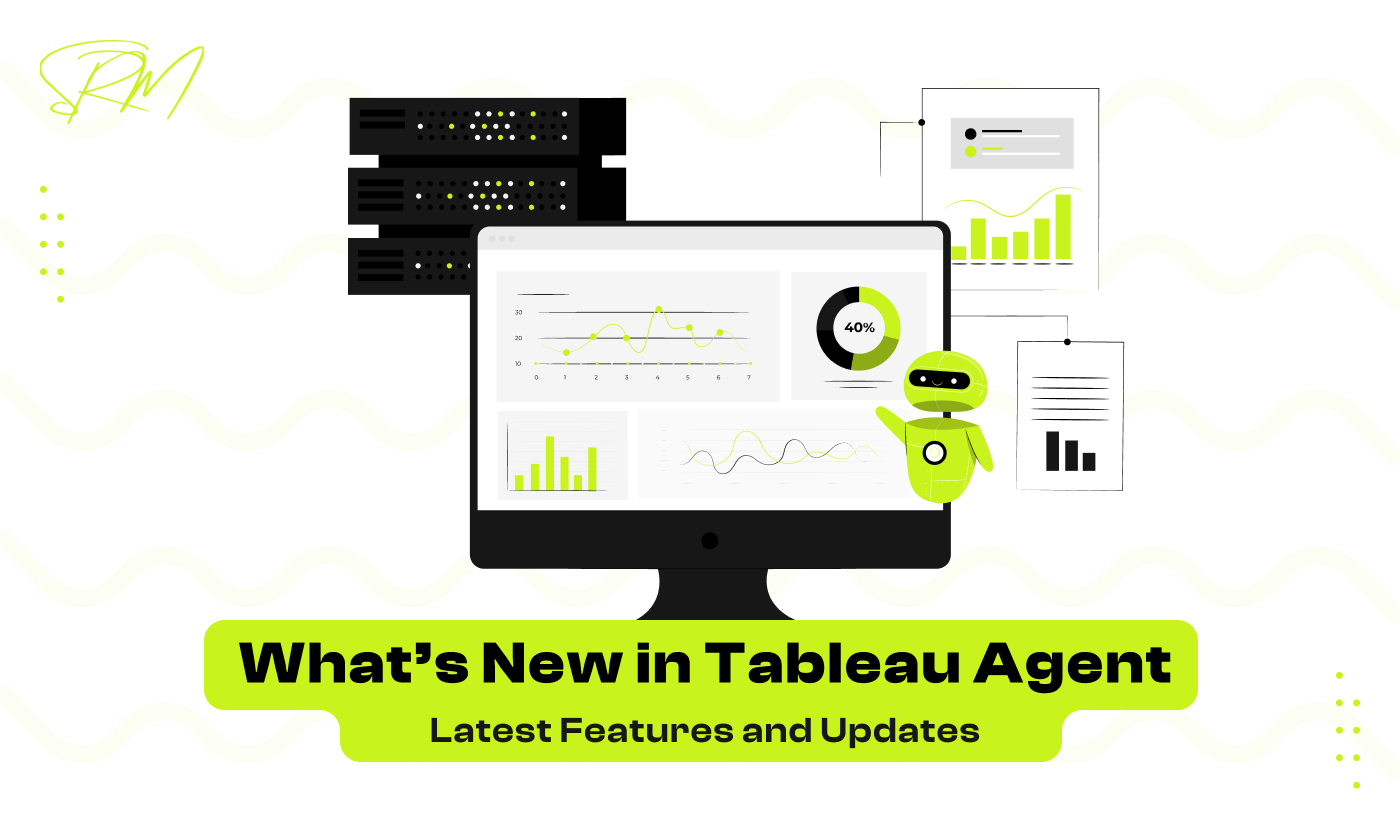
What’s New in Tableau Agent: Latest Features and Updates
Introduction
Tableau has long been a leader in data visualization and analytics, helping businesses turn complex datasets into actionable insights. At the heart of this powerful ecosystem is Tableau Agent, a tool designed to automate tasks, manage workflows, and ensure that your data is always fresh and accurate.
With the latest updates, Tableau Agent has become even more intelligent, efficient, and user-friendly, empowering businesses to save time, reduce errors, and make faster data-driven decisions. From enhanced automation capabilities to advanced alerting systems and improved integration with Tableau Server and Tableau Online, the new features are designed to meet the growing demands of modern data teams.
One of the key advantages of Tableau Agent is its ability to streamline repetitive tasks. By automating data refreshes, scheduled reports, and alerts, teams can focus more on analyzing insights rather than spending time on manual processes. This not only boosts productivity but also ensures that decision-makers always have access to the most up-to-date information.
Tableau Agent helps businesses maintain data accuracy and reliability. With improved monitoring, logging, and error-handling features in the latest updates, organizations can quickly detect and resolve issues, reducing the risk of incorrect data impacting strategic decisions. These enhancements make Tableau Agent an indispensable tool for data-driven organizations aiming to stay competitive.
Table of Contents
Why Tableau Agent Matters
In the modern business landscape, data is constantly growing, and managing it manually can be both time-consuming and error-prone. This is where Tableau Agent becomes essential. It not only automates workflows but also ensures that data is always accurate, timely, and actionable, making it a critical tool for organizations aiming to become truly data-driven.
Beyond just automation, Tableau Agent enhances collaboration across teams. By keeping data consistent and reports up-to-date, different departments can rely on a single source of truth, improving communication and decision-making. Teams no longer waste time reconciling inconsistent data or manually updating dashboards, which leads to faster insights and more informed strategic decisions.
Role in Automating Workflows and Data Management
Tableau Agent plays a key role in automating repetitive workflows, including data refreshes, report generation, and scheduled tasks. By taking over these routine processes, it allows teams to focus on analyzing insights rather than spending hours on manual operations.
With its automation capabilities, Tableau Agent ensures that dashboards and reports are consistently up-to-date, while reducing the risk of human errors. It can manage complex workflows across multiple data sources, automatically trigger alerts, and execute tasks according to a defined schedule. This makes operations smoother, reporting faster, and decision-making more reliable.
Benefits of Staying Updated with New Features
Keeping Tableau Agent up-to-date ensures your organization fully leverages the latest improvements. Some key benefits include:
- Improved Efficiency: Enhanced automation features minimize manual work and streamline processes.
- Advanced Alerts & Notifications: Real-time alerts help teams respond promptly to critical changes in metrics.
- Seamless Integration: Updates improve connectivity with Tableau Server, Tableau Online, and external tools, making data workflows more cohesive.
- Enhanced Security & Compliance: New features strengthen data protection, access control, and auditing capabilities, ensuring regulatory compliance.
By utilizing the latest features, businesses can increase productivity, maintain data accuracy, and gain a competitive edge. Staying current with Tableau Agent updates empowers teams to make faster, smarter, and more informed decisions.
Latest Features in Tableau Agent
Tableau Agent has recently received a series of updates that make it more powerful, efficient, and user-friendly. These new features are designed to help organizations automate workflows, stay informed in real-time, and integrate seamlessly with other tools. Let’s explore the key updates in detail.
These updates are not just about adding new functionalities, they also enhance reliability and performance, ensuring that automated processes run smoothly even for large datasets or complex workflows. By leveraging these improvements, teams can reduce manual effort, minimize errors, and maintain a consistent flow of accurate, actionable data across their organization.
1 Enhanced Automation: Smarter Scheduling and Task Management
The latest version of Tableau Agent introduces advanced automation capabilities that simplify task scheduling and management. Users can now set up more complex workflows with conditional triggers, recurring schedules, and priority-based task execution. This means reports and dashboards are automatically refreshed at the right time, reducing manual intervention and ensuring data is always current.
Additionally, the improved task management system provides better visibility into running processes, making it easier for administrators to track job status, detect delays, and optimize workflow execution. This enhanced automation allows teams to focus on analysis rather than repetitive tasks.
2 Advanced Alerting and Notifications: Real-Time Insights on Key Metrics
One of the most powerful new features is the improved alerting system. Tableau Agent now offers real-time notifications when specific thresholds or conditions are met in your data. Whether it’s a drop in sales, a spike in website traffic, or a KPI falling behind target, these alerts help teams respond immediately.
The alerts are fully customizable, allowing users to define rules for different dashboards and metrics. Notifications can be sent via email or integrated communication tools, ensuring that decision-makers are always informed and can take timely action.
3 Integration Upgrades: Better Connectivity with Tableau Server, Tableau Online, and External Tools
With the latest updates, Tableau Agent now integrates more seamlessly with Tableau Server, Tableau Online, and third-party tools. This means workflows can span multiple platforms, enabling automated data refreshes and task execution across various environments.
The improved connectivity also allows organizations to connect external data sources more efficiently, reducing latency and ensuring that dashboards reflect the most accurate and up-to-date information. These upgrades make Tableau Agent a more versatile tool for enterprises with complex data ecosystems.
4 User-Friendly Interface Updates: Streamlined Setup and Improved Dashboards
Finally, Tableau Agent has received significant interface enhancements, making it easier for both new and experienced users to navigate the platform. The setup process is now more intuitive, with guided workflows and clear configuration options.
Dashboard management has also improved, with a cleaner layout, faster load times, and better visualization of scheduled tasks. These changes not only save time but also improve the overall user experience, making it easier for teams to adopt and leverage Tableau Agent effectively.
Performance Improvements
Tableau Agent’s latest updates have brought significant performance enhancements, making automated workflows faster, more reliable, and better suited for large-scale operations. These improvements ensure teams can focus on analyzing data rather than managing slow or error-prone processes.
These updates also improve overall system stability and scalability. Whether handling multiple simultaneous tasks or working with large datasets, Tableau Agent now optimizes resource usage, reduces the risk of workflow failures, and ensures consistent performance. This means businesses can scale their analytics operations confidently without worrying about bottlenecks or delays affecting critical reporting.
1 Faster Execution of Automated Workflows
Tableau Agent now processes automated tasks much quicker, ensuring dashboards and reports are refreshed without delays. This improvement is particularly helpful for organizations that need real-time insights for decision-making. By reducing the time required for data-heavy processes, teams can respond faster to changes in KPIs, sales, or operational metrics.
Faster execution also enhances overall productivity by allowing multiple workflows to run concurrently without creating bottlenecks. Teams no longer need to wait for one task to finish before starting another, which is especially beneficial during peak reporting periods or when handling large-scale analytics projects. This ensures that business intelligence operations remain smooth, efficient, and timely.
2 Optimized Resource Usage for Large Datasets
The updated Tableau Agent now handles large datasets efficiently, minimizing server load and preventing slowdowns. Benefits include:
- Smarter memory and CPU usage for heavy workloads
- Ability to execute multiple workflows simultaneously without lag
- Reduced risk of task failures caused by system overload
- Enhanced scalability for growing data operations
These optimizations allow organizations to maintain consistent performance even with complex or high-volume analytics tasks.
3 Improved Monitoring and Logging for Easier Troubleshooting
Keeping track of automated workflows is now simpler thanks to enhanced monitoring and logging features. Tableau Agent provides detailed insights into task execution, helping teams detect issues early. Users can receive alerts for failed tasks, review execution logs, and monitor workflow performance in real-time. This ensures higher data reliability and reduces downtime caused by errors or delays.
Security and Compliance Updates
Security and compliance are critical in today’s data-driven environment. With sensitive information being processed and shared across multiple systems, Tableau Agent’s latest updates focus on strengthening data protection, managing user access, and ensuring audit readiness. These updates help organizations maintain trust, regulatory compliance, and secure analytics operations.
These improvements reduce risks related to data breaches or unauthorized access. Organizations can now implement stricter security controls, monitor access closely, and ensure that workflows comply with internal policies and external regulations. This makes Tableau Agent not only a tool for automation but also a trusted guardian of enterprise data.
1 Enhanced Data Protection Measures
Tableau Agent now includes several enhanced data protection features to secure sensitive information during automated workflows. Key improvements include:
- Data Encryption: All data in transit and at rest is encrypted using industry-standard protocols, ensuring that sensitive information remains protected from unauthorized access.
- Secure Connections: Improved support for secure connections to databases and external tools minimizes the risk of data interception during transfers.
- Backup and Recovery: Enhanced backup mechanisms allow organizations to recover critical data quickly in case of accidental loss or system failure.
- Compliance with Security Standards: Updated features align with industry regulations such as GDPR and HIPAA, helping businesses meet legal and regulatory requirements.
These measures ensure that organizations can automate tasks confidently without compromising data security.
2 Improved User Permissions and Role Management
Tableau Agent’s updates provide more granular control over user access and permissions, allowing organizations to manage who can view, modify, or execute tasks. Administrators can now assign roles more precisely, reducing the risk of unauthorized actions.
With improved role management, it is easier to segregate duties within teams, ensuring that sensitive tasks are handled only by authorized personnel. This strengthens internal controls and helps maintain accountability in automated workflows.
Another significant benefit is enhanced flexibility. Organizations can now adjust roles and permissions dynamically as team structures change, ensuring that new employees or contractors have the appropriate access without disrupting ongoing operations.
These updates make user management more secure, streamlined, and adaptable to complex organizational requirements.
3 Audit-Friendly Features for Compliance
Tableau Agent now includes features designed to support auditing and regulatory compliance, providing organizations with full visibility into automated workflows.
Key highlights include:
- Detailed Logs: Every task execution is logged with timestamps, user details, and status, making audits easier and more transparent.
- Change Tracking: Modifications to workflows or permissions are tracked to maintain accountability.
- Alerting for Non-Compliance: Notifications are triggered if workflows or user actions deviate from compliance policies.
These updates help organizations maintain audit readiness, ensuring that workflows can be reviewed and verified for regulatory compliance at any time.
Use Cases Highlighting the New Features
Tableau Agent’s latest updates are designed to bring tangible benefits to everyday business operations. By leveraging enhanced automation, alerting, and integration capabilities, organizations can streamline workflows, gain real-time insights, and reduce manual effort. These updates are particularly useful for teams that need accurate, timely data to drive decision-making.
These features also help organizations scale their operations efficiently. Whether it’s automating routine reports, responding to key performance changes instantly, or connecting Tableau Agent to external tools, these use cases demonstrate how businesses can maximize the value of their data infrastructure.
1 Automating Daily Reporting with Enhanced Scheduling
With the new scheduling capabilities, Tableau Agent can now automate daily reporting tasks more intelligently. Reports can be refreshed and delivered automatically at specific times or triggered by particular conditions, reducing the need for manual intervention. This ensures consistency in reporting, as dashboards are always updated at the same time every day, providing teams with reliable and up-to-date insights.
Automation also reduces errors caused by manual report generation, minimizing the risk of inaccuracies that can affect decision-making. By handling routine reporting tasks automatically, Tableau Agent frees up analysts to focus on interpreting insights rather than compiling data, allowing them to spend more time on strategic analysis. Overall, these enhancements improve workflow efficiency and ensure that business intelligence operations run smoothly and reliably.
2 Triggering Real-Time Alerts for KPIs
The updated alerting system in Tableau Agent allows businesses to receive real-time notifications when key metrics reach critical thresholds. This ensures teams can respond immediately to changes in performance indicators. KPIs play a critical role in enabling accurate data-driven decisions across teams. When the right KPIs are monitored in real time, organizations can quickly identify risks, track performance, and take timely action. Real-time alerts ensure that data-driven decisions are based on current insights instead of outdated information.
Benefits include:
- Instant action on important metrics, such as sales drops or operational anomalies
- Reduced risk of delayed decision-making due to outdated information
- Customizable alerts for different dashboards and KPIs to focus only on relevant data
By receiving real-time alerts, organizations can proactively manage risks and capitalize on opportunities as soon as they arise.
3 Integrating Tableau Agent with Third-Party Tools for Advanced Workflows
Tableau Agent now offers improved integration capabilities with external tools, allowing organizations to automate complex, cross-platform workflows.
Key integration possibilities include:
- CRM Integration: Automatically sync Tableau dashboards with customer data from Salesforce or other CRM platforms, ensuring sales and marketing teams have up-to-date insights.
- Collaboration Tools: Connect Tableau Agent with Slack, Teams, or email systems to deliver alerts and reports directly to stakeholders.
- Data Management Systems: Integrate with databases, ETL tools, or cloud platforms to automate data refreshes and streamline analytics pipelines.
These integrations allow businesses to create a connected analytics ecosystem, where Tableau Agent acts as the central hub for automated workflows, alerts, and reporting.
Tips to Make the Most of the Latest Updates
Leveraging Tableau Agent’s latest features can significantly improve workflow efficiency, data accuracy, and decision-making speed. However, to maximize the benefits, it’s important to follow best practices, utilize advanced automation wisely, and avoid common pitfalls.
Beyond simply enabling new features, teams should take time to align these updates with existing business goals and reporting processes. Reviewing current dashboards, data sources, and user workflows helps identify where the new capabilities can deliver the most value. Regular training sessions and internal documentation also ensure that analysts and decision-makers understand how to use the updates effectively, leading to better adoption and more consistent, insight-driven outcomes across the organization.
1 Best Practices for Configuring New Features
When configuring Tableau Agent’s new features, proper setup ensures smooth operations and optimal performance. Start by understanding the capabilities of each update and how they fit into your existing workflows.
Key best practices include:
- Review default settings: Ensure that new features are configured according to your organization’s specific needs rather than relying solely on default options.
- Test in a staging environment: Before rolling out new automation or alerting rules, test them on a smaller scale to identify potential issues.
- Document configurations: Keep records of all workflow setups, alert rules, and automation schedules to simplify future maintenance and troubleshooting.
- Train team members: Ensure that analysts and administrators understand how to use new features effectively to fully benefit from automation and reporting enhancements.
Following these steps helps organizations implement updates smoothly and reduce disruption to ongoing analytics operations.
2 Leveraging Advanced Automation Efficiently
Advanced automation features in Tableau Agent can save time and improve accuracy, but they need to be used strategically. Focus on automating repetitive tasks, such as daily reporting or data refreshes, while leaving critical analysis or decision-making to human experts. Efficient use of automation also involves monitoring workflows regularly, fine-tuning schedules, and using conditional triggers to avoid unnecessary processing. By doing so, organizations can maximize productivity while maintaining data reliability.
3 Avoiding Common Mistakes After Updating
Even with powerful new features, certain mistakes can reduce the effectiveness of Tableau Agent updates. Organizations should be mindful of potential pitfalls and take proactive measures to avoid them.
Common mistakes to watch out for include:
- Ignoring permissions and security settings: Ensure user roles and access are reviewed after updates to prevent unauthorized changes.
- Over-automation: Automating too many tasks without monitoring can lead to errors or missed exceptions.
- Neglecting monitoring and logs: Failing to check execution logs and performance metrics can allow issues to go unnoticed.
- Skipping documentation: Not documenting changes can create confusion during troubleshooting or future workflow modifications.
By staying vigilant and following these precautions, teams can fully leverage the new updates while minimizing risk and maintaining smooth operations.
FAQs
What makes the latest Tableau Agent updates different from previous versions?
The latest updates focus on smarter automation, stronger security, and better integration options. These improvements help teams reduce manual work, respond faster to insights, and manage data more securely.
How do the new automation features improve daily reporting?
Enhanced scheduling and triggers allow reports to refresh and deliver automatically. This ensures dashboards are always up to date and lets analysts spend more time analyzing data instead of preparing reports.
Can Tableau Agent handle real-time alerts for critical KPIs?
Yes, Tableau Agent can now monitor key metrics in real time and send alerts when thresholds are met. This helps businesses act quickly on performance issues or sudden changes.
Are the new security and compliance features suitable for regulated industries?
Absolutely. Improved data protection, user role management, and audit-friendly tools make Tableau Agent well suited for industries with strict compliance requirements like finance and healthcare.
How can teams ensure a smooth transition after updating Tableau Agent?
Testing updates in a staging environment, reviewing automation rules, and training users on new features can help avoid disruptions and ensure teams get the most value from the update.
Conclusion
The latest Tableau Agent updates bring meaningful improvements that help organizations work smarter with their data. From faster automated workflows and intelligent scheduling to stronger security and compliance features, these enhancements are designed to reduce manual effort and improve decision-making speed. Teams can now rely on more accurate, timely insights without constantly monitoring dashboards or reports.
Adopting these new features thoughtfully and following best practices, businesses can unlock greater efficiency and confidence in their analytics processes. Whether the goal is real-time KPI monitoring, streamlined reporting, or better governance, Tableau Agent’s updates make it easier to turn data into actionable insights and stay ahead in a data-driven environment.
By staying updated with Tableau Agent’s latest capabilities, organizations also future-proof their analytics strategy. These enhancements support scalability as data volumes grow and ensure analytics workflows remain reliable as business needs evolve. Investing time in understanding and applying these updates helps teams build a more resilient, automated, and insight-driven analytics ecosystem.

December 31, 2025
How Real-Time Analytics Helps eCommerce Brands Increase Conversions

December 31, 2025